Spaces that never mix
Each project has its own API path, instances, schemas, users, roles, secrets and developers.
API Maker
The backend engine for the AI era
Level 3 · ScaleArchitecture 07 of 13
One API Maker fleet hosts many projects, each with its own APIs, databases, sandboxes and Git.
Every project is an admin account of the same platform: its own API path, databases, users, secrets and sandbox containers. The servers, API Maker DB and Redis are shared and run once. New projects come from a single API call.
Every request is drawn as it travels. Slow it down, pause, go step by step, or open the full canvas and zoom in.
 api-maker/architectures/multi-projectLive
Every project, a space of its own. Shop, CRM and IoT are admin accounts of one platform. Each has its own API path, databases, users and secrets.
The same steps as the diagram, in more detail.
Each project is an admin user of the same API Maker installation, with a path of its own in every URL, like /api/gen/shop/… and /api/gen/crm/…. It has its own database instances, schemas, custom APIs, secrets, auth providers, users, roles and developers. Projects never see each other's data or code.
Custom APIs, hooks and schedulers of a project run in sandbox containers created for that admin user only, in the languages and with the packages it chose. A heavy job of one project cannot read the files or the memory of another, and idle sandboxes are removed after the minutes the project sets to free resources, or kept warm.
The projects share Caddy and its certificates, the servers, API Maker DB and Redis, each item stored under the admin it belongs to. You run, monitor, back up and update one platform instead of one per project, and the spare capacity of quiet projects serves the busy ones.
The root user manages the installation: root settings, the servers of the fleet, their Docker containers and logs, and the admin accounts. The Analytics dashboard gives the root user every server and every project, while each admin and developer sees only their own APIs and traffic.
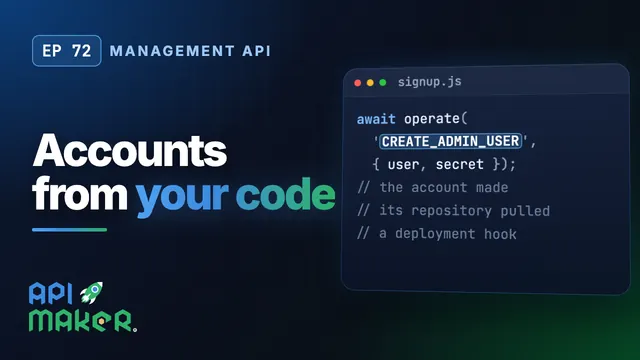
Projects can be created by a script or by your own product: one call to the management API of API Maker creates the admin user, saves its secrets, pulls its APIs from its Git repository and returns a deployment hook. The new project is served by the fleet at once.
The root user can make an admin user inactive: its sandboxes are removed and its resources freed, while its APIs, settings and data stay in place. Activate it again and it is back as it was. Useful for seasonal projects, trials, and clients who stop paying.
Each project has its own API path, instances, schemas, users, roles, secrets and developers.
Custom code of each project runs in sandbox containers of its own, in the languages and with the packages it chose.
Quiet projects leave room for busy ones on shared servers, instead of a half-idle server per project.
One call to the management API creates an admin, saves its secrets and pulls its APIs from Git.
An inactive project frees its sandboxes and keeps its APIs, settings and data until it comes back.
The root user sees the whole fleet in the dashboards, each admin and developer sees only their own traffic.
On video
A team builds one backend together. With developer accounts, every developer gets a workspace of their own on the same API Maker server, with their own API path, secrets and masks and their schedulers paused, and their work reaches the team through Git.
Every video of API MakerPlain VPS from any provider, or your own servers, with Ubuntu 24.04 LTS, installed by API Maker Launchpad. Sizes are a starting point: measure and adjust.
Runs
Ports
Runs
Ports
Sandboxes are per project and per language: give the servers memory for the projects that run custom code at the same time.
Runs
Ports
Runs
// POST https://api.example.com/api/sites/root-user-settings/operate-api-maker-using-api{ "token": "<communication token of the root settings>", "operation": "CREATE_ADMIN_USER", "payload": { "user": { "name": "Delivery", "email": "[email protected]", "password": "***", "apiPath": "delivery", "gitUrlWithCredentials": "https://user:[email protected]/delivery.git", "gitBranch": "main" }, "secret": { "name": "Default", "keysCode": "" } }}Enable it in Root Settings → Deployment Settings → API Access. The answer holds the new admin, the result of the Git pull and a deployment hook.
Shared: Caddy, the servers, API Maker DB and Redis. Separate: API paths, database instances, schemas, custom APIs, secrets, auth providers, users, roles, developers, sandbox containers and Git repositories.
Yes. Add a site to the Caddyfile for each domain, like shop.example.com and crm.example.com, all passed to the same servers. Caddy gets and renews a certificate for each of them, and the path of the project stays in the URL.
By default a token works only in the admin account that issued it. A root setting lets the same token be used in other admin accounts where a user with the same username and password exists, with the permissions of that account.
Here each project is a different product with its own APIs. In the multi-tenant architecture one product and one set of APIs serve many customers, each with a database of their own.