

Automatic indexesEpisode 31 8:14 11 chapters October 2026
Automatic Indexes: Index Maker Indexes Your Database on Its Own
Indexes that find themselves: recorded, decided, written down with a reason, and created in every environment. Turn on the automatic mode of Index Maker, watch its first decision with a reason for every query, then carry its decisions to every environment with the am_index_maker migration script and the index system APIs.
In the playlists The complete course Performance
Chapters
What you will learn
- The automatic mode, one switch
- Its first decision, and a reason for every query
- How it decides
- The migration script am_index_maker, run here and in every environment
- One index name on every database
- Create, Get and Drop indexes from code, and the index log
Transcript1182 words · click a time to play from there
Intro
Indexes which find themselves : recorded, decided, written down with a reason, and created in every environment. In this video, the automatic mode of Index Maker, and its migration script.
Indexes, the usual way
Indexes usually mean query plans nobody has time to watch, an index added by hand on production, the night it was slow, and missing on staging, on the laptop of the next developer, and in the next region. With API Maker, the automatic mode records the real queries and decides on its own, with a written reason for every query, and every index is a line of one migration script which every environment runs.
In this video : the automatic mode and its settings, its first decision, how it decides, the migration script am_index_maker, index names on every database, and the system APIs for indexes.
The automatic mode
Database, Index Maker. On the left, Automatic indexes : off. Record, decide, index. Its settings are kept on the account, so they travel with the project in git. A scan records thirty minutes of queries every six hours ; for this video, one minute. A query without an index gets one when its table has at least ten thousand rows, and it is slower than a hundred milliseconds, or called at least fifty times.
At most three fields per index and twelve indexes per table, created on this server too, not only in the script. The last three automatic periods are kept, and tables can be excluded. Save settings. The switch : on. The first scan starts within a minute, or now, with Scan now : an automatic scanning period records the database queries of your APIs. One minute to record.
Its first decision
During that minute, the shop runs as usual. Order tracking asks order_events by request id, sixty times : MySQL, a million rows, no index. The back office lists orders by status sixty times, and once with an or. Category pages ask the products by category, six times. Product pages and the account page ask by SKU and by email : they have an index. And a list of ten customers, with no find at all.
The period ends, and at the next tick the loop evaluates it, on its own. One index created, four query shapes left alone. The index is in the script, and the script is pending on this server. Left alone : small tables, fast and rare queries, shapes no index can serve, indexes which exist already. The analysis of the period, on its Automatic indexes tab : seven shapes recorded, five without an index, one indexed, four left alone, and the settings it used.
Order events : created here, and written to the script. No index served the query : slower than a hundred milliseconds on average, sixty calls, on nearly a million rows. Left alone, each with its reason : orders has a hundred and eighty rows, a scan of it is cheap. A find with no condition reads every row. An or needs more than one index. And products by category : six calls, fast and rare.
Nothing is indexed just in case. And the name of the index it built.
How it decides
The rules come in one order, the same on every server. A table in the exclusion list, or one which can not be read, is left alone. Then the shapes no single index can serve : an or, a text search, an empty find. Then fast and rare queries, and small tables. Then a field no index can hold, an index which covers the query already, the same index in the script, or a table with enough indexes.
What passes gets an index : the equalities first, then the in lists, then one range, three fields at most.
The script am_index_maker
The decision is also a line of a migration script. On the next page load, the panel says it : a migration script has not run on this server since it changed, am_index_maker. Every environment which deploys the project gets the same list, and its deploy runs it. Here, we run it from the card. Open : the definition the loop wrote. Create, on mysql, sales, order events, the name, the field, source Automatic, and the reason.
The script itself is TypeScript : the JSON list between two markers, which Index Maker rewrites, and the code which creates each index with g.sys.system.createIndexes. You can add your own lines to the list. Run here. It runs on the databases of this server : the index is there already, so it is left alone. Applied here. The script lives in git with the project. A pull which changes it marks it as not run on that server.
The deploy runs it : created, the first time. Exists, every time after : nothing is created twice. One reviewed list, the same indexes on development, staging and production.
Index names
Every index gets a name built from its table, its fields and a hash of both : the same definition, the same name, in every environment. Each database has its limit : sixty four characters on MySQL and MariaDB, sixty three on PostgreSQL, a hundred and twenty eight on SQL Server, a hundred on MongoDB. And thirty on Oracle, as its older versions require : the words are cut evenly, the hash never.
So an index is found by its name everywhere, and never made twice.
System APIs for indexes
The same operations for your own code : three system APIs. API Testing, System APIs, Create indexes. One definition : mysql, sales, order events, on order id and event type, and no name. Created : the name is built, am_ix_order_events_order_id_event_type, and its hash. Again : it exists already. Nothing is created twice. Get indexes, for the same table : the primary key, the index of the automatic mode, and this one, in one shape for every database.
Drop indexes, by name : dropped. From a custom API, a migration or a script : g.sys.system.createIndexes, getIndexes and dropIndexes, the same body on six engines, and a status for each index : created, exists, dropped, not found, skipped or failed. Back in Index Maker, the index log : the index of the automatic mode, and the create and the drop of the system APIs, each with who did it and when.
Good to know
The next scan starts six hours after the previous one ended. In a cluster, one server runs the loop each minute, through Redis. The suggestions and the index form of the previous video write into the same script. And the script can not be removed : Index Maker owns it. Remove its lines instead.
Built on standards
One documented order of rules, and a reason for every decision. Every index a reviewed line in git, the same in every environment. So a migration written by an AI assistant calls createIndexes, and never writes raw index statements for six databases.
Recap
To sum up. The automatic mode records and decides. A reason for every query. The script am_index_maker, for every environment. One name on every database. And Create, Get and Drop indexes for your code. Next : database migrations. API Maker. Build faster. Spend smarter. Deliver better.
Keep watching
 Length 6:22Migrations
Database Migrations in TypeScript or Python, Once per Environment
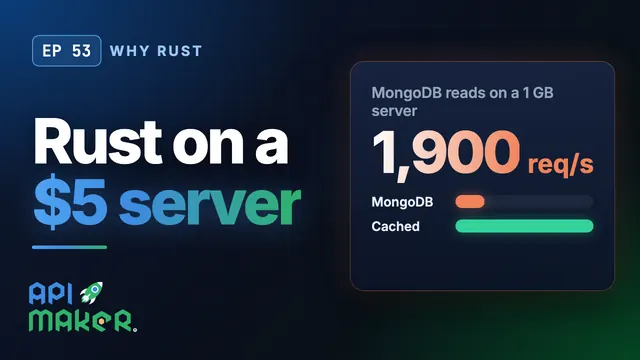 Length 4:57Why Rust
Why Rust: API Maker Load-Tested Live on a $5 Server
 Length 6:26Scale out
Scale Out a Backend: Many API Maker Servers Behind One Load Balancer
 Length 4:51Caching