

Auth providersEpisode 25 7:25 13 chapters October 2026
Sign-In for Your Users: DB Token Generator, Custom Tokens and SSO
Your app has people: customers, staff, partners. Auth providers let them sign in and tell every API who is calling, without one line of login code: a DB token generator over your own table with hashed passwords, signed and refreshed tokens, a custom token generator, single sign-on with Google, Azure AD and AWS, and g.req.auth in your code.
In the playlists The complete course Security & access
Chapters
What you will learn
- Two tokens: the application and the person
- A password column, hashed
- A DB token generator and its fields
- A customer signs in: what is inside the token
- An API for signed-in customers, checked on every call, and refresh
- A custom token generator, and single sign-on
- g.req.auth, the settings of the installation, and best practices
Transcript1071 words · click a time to play from there
Intro
Your app has people : customers, staff, partners. Auth providers let them sign in, and tell every API who is calling, without one line of login code.
Login code, again
Every project writes it again : a login endpoint, password hashing, JSON web tokens and their refresh, a check that the user is still allowed in, and the same checks copied into every endpoint. One shortcut, and passwords leak or tokens never expire. With API Maker, a provider points at your users table, passwords are hashed by the schema, tokens are signed, refreshed and checked on every call, and an API asks for a person with one setting.
In this video : the Auth Providers page, a DB token generator over the customers of PostgreSQL, a customer signing in, an API that wants a signed-in customer, a custom token generator with your own sign-in code, and single sign-on.
The page
Auth providers are in the Security panel. The page lists the providers of the account : none yet. Add offers five kinds : a DB token generator for people stored in your own table, a custom token generator for your own sign-in code, and AWS Cognito, Azure AD and Google for single sign-on.
Two tokens
A request can carry two tokens. The API user token, in x am authorization, says which application calls. The person token, in x am user authorization, says who is using it. The groups decide what the application may call, and the person decides whose data it is. Single sign-on tokens come in headers of their own : x aws, x google and x azure authorization.
DB token generator
Calm Home keeps its customers in PostgreSQL. For this video they get a password column, and the schema of the table hashes it : every write through API Maker stores a keyed hash, never the password as typed. Update. No hashing library, no salt to manage, no plain text to leak. Add, DB token generator. Its basic info names the table, the username column, the password column, and a condition : only active customers may sign in.
The select decides which columns travel in the token, and the token lives an hour. The fields generator runs every time a token is made or refreshed. It gets the row of the customer and returns what the app needs without another call : the customer id, the loyalty tier and a display name. Save, and customer login is on the list.
Sign in
Signing in is the Get token system API. In API Testing, system APIs, Get token. The body names the provider, the e-mail and the password. Send, and Kabir gets a token, a refresh token, and the lifetime : an hour. Inside the token : the columns of the select, and a fingerprint of the password, never the password itself. Token data holds what the fields generator returned, and the token is signed by the installation, with its issuer and its expiry.
A wrong password gets no token, and neither does Ishaan, whose account is blocked : the condition stops him. Both answers say nothing about which part was wrong.
APIs for persons
Now an API that wants a signed-in customer. A custom API, My Profile : its basic info names the provider in auth providers. Its code reads the customer from g dot req dot auth. Save. In API Testing, the person header lists the customers of the provider, pick Kabir, and send : the profile of Kabir. The same API from an app : with the API user token only, it answers four oh one, asking for the person token.
With Kabir's token, his profile. The person is checked on every call. Block Kabir with an update through API Maker, and his token stops working on the next call. A change made straight in the database is seen within a minute. Tokens are short on purpose. The refresh token, sent to the same Get token API, returns a new pair, as long as the person is still allowed in and the password did not change.
Custom token generator
Some sign-ins are not a username and a password. Calm Home lets a guest follow an order with the e-mail and the order number. A custom token generator has two functions. The token generator checks the e-mail in PostgreSQL and the order in MySQL, and signs a token with g dot sys dot system dot hash. The token validator runs on every call, checks the signature and the expiry, and returns the claims, or false.
Save. Try it from the list. An e-mail and an order number, send : a token. The Order Status API asks for this provider and reads the order id from g dot req dot auth dot auth custom. A forged token gets four oh one : the validator said no.
Single sign-on
For single sign-on, add Google. Its settings are the client id of your Google app, the claim that names the person, and, optionally, a table that holds the groups of each person. Save. API Maker checks the Google token with the published keys of Google, its audience and its expiry, on every call. Azure AD and AWS Cognito work the same way. Give Google its client id and Azure its audience : without them, a token made for another application would be taken, and the security report flags the provider.
Three kinds of providers, one list.
g.req.auth
In code, g dot req dot auth holds who is calling : the API user, the row of a DB provider, what a token validator returned, and the claims of a single sign-on token. The same object in every language.
Root settings
The root user owns the settings of every token : from its dashboard, Deployment Settings, card Security, your APIs. The secret that signs every token, tokens accepted across admin accounts, the lifetime, the refresh, the issuer and the algorithm.
Best practices
Best practices. Hash passwords in the schema. Put a condition on every provider, so blocking is one update. Keep tokens short and refresh them. Put display data in the token, never secrets. A custom validator must check a signature, not only decode. And give roles with a groups column : that is the next video.
Recap
That was auth providers. A DB token generator over your own table. Hashed passwords, signed and refreshed tokens. An API that asks for a person with one setting. Your own sign-in code, and single sign-on. Next : roles, row ownership and best practices. API Maker. Build faster, spend smarter, deliver better.
Keep watching
 Length 5:15Roles
Role-Based Access and Row Ownership: Users See Only Their Own Data
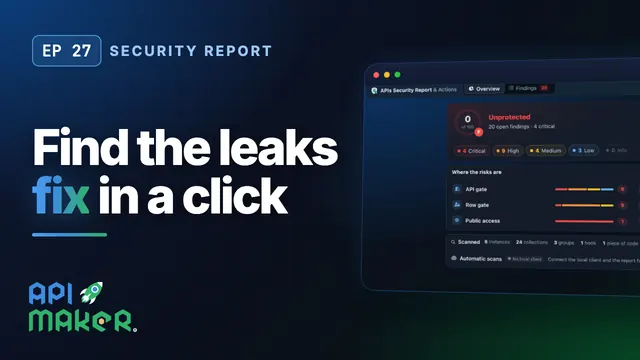 Length 11:21Security report
APIs Security Report: Find Data Leaks and Fix Them in One Click
 Length 8:41Code scan
Scan Your API Code for Leaks in 8 Languages, Fix It in One Click
 Length 4:29Security