

SSR websitesEpisode 49 7:45 13 chapters November 2026
SSR Websites: Loaders, Forms with CSRF and Customer Sign-In
A website comes alive with data. The Calm Home shop reads four databases in loaders on the server, reads only the tables it lists with rules for their columns and rows, takes a form checked on the server with CSRF built in, and lets customers sign in, each one seeing only their own orders.
In the playlists The complete course SSR websites
Chapters
What you will learn
- A loader, with ctx.db
- Only the tables you list, with rules for columns
- One page, three engines
- A form from a model, checked on the server
- CSRF, built in
- Customers sign in, and see only their own rows
Transcript1126 words · click a time to play from there
Intro
A website comes alive with data: products, stock, reviews, and the orders of a customer. In this video, the Calm Home shop reads four databases, takes a form, and lets customers sign in. Each customer sees only their own orders.
Data on a website, the usual way
Data on a website usually means a lot of work. An API for every page. Tokens kept in the browser. Every form checked twice, in the browser and on the server. CSRF tokens and sessions written by hand. And a filter on every query, so one customer never sees the orders of another. Forget it once, and data leaks. With API Maker, a page reads its data on the server, in a loader.
It reads only from the tables its website lists. Forms come with CSRF and server checks. And the rows of each visitor are a rule, written once. In this video: loaders and ctx dot db, only the tables you list, one page reading three engines, rules for columns, a form checked on the server, customers who sign in, and rows that belong to each customer.
Loaders and ctx.db
A page reads its data in a loader. A loader is a function that runs on the server before the page renders. A visitor asks for a page. Its loader calls ctx dot db. The server checks the rules of site dot config, and reads the database in the same process. Then the page gets the rows as its data. There is no API to write in between, and no token in the browser.
Only the tables you list
A website reads only the tables it lists. Make a new file from a template. Pick the model page with data, at pages slash reviews. The preview refuses it at once. The model reads its sample table, mongodb, shop, items. This website does not list it, and the page says what to add. This page should list the reviews of Calm Home. So we use the database catalog, and the table reviews, and each review shows its title.
Save. It is refused again, because the reviews are not listed either. Open site dot config, add the table to data dot read, and save. Now the reviews show. One line, in one file, opened one table.
One page, three engines
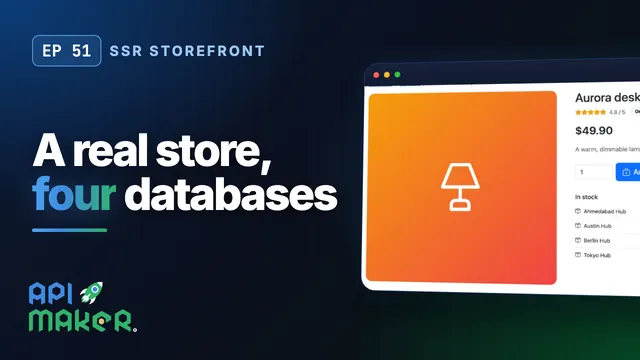
One page can read several engines. The page of a product reads the product from MongoDB, its stock in each warehouse from SQL Server, and its reviews from MongoDB, all at the same time. The names of the reviewers come from PostgreSQL. Open the Aurora desk lamp. We see its stock in four warehouses, and its reviews, each one signed with a first name.
Rules for columns
Only a first name? The loader asks for the last name and the email too. But the rule of the customers table gives only two columns: the id and the first name. So the server reads only those two, whatever the page asks for. A careless page, or code that an AI assistant wrote, cannot leak an email. The rule sits in one file, easy to review. Settings sums it up.
It shows the tables the website reads, and the tables it writes, which are none. It shows how its customers sign in, that ctx dot sys is off, and a strict content security policy. It all comes from site dot config: every table, with its columns and its rows.
Four ways to reach data
ctx dot db is one of four ways to reach data. ctx dot api calls the APIs of the account, as the visitor would, with their access rules and their hooks. ctx dot sys can do everything the account can, so it stays off until site dot config turns it on. ctx dot fetch reaches only the hosts that the settings list. And ctx dot cache keeps a value between requests, for a minute, or for an hour.
A form
Now a form. Open the menu of the files. From the models, pick Form. It is an action that takes the post, checks every field on the server, and shows a message after. It is made at pages slash contact. The model is plain HTML, so it fits any UI library. Here it gets the Bootstrap classes of the shop, and the preview shows the form. In a browser tab, type a name, an email without its domain, and a message that is too short.
The browser lets both pass. Send. The server checks the values, and the page comes back with an error under each field. What was typed is still there. Fix the email, write a real message, and send. The page comes back with a message, shown once.
CSRF
That form carried a hidden CSRF token. The server adds one to every form that posts. A post from another site comes without it, so it is refused with a 403, before any code of the page runs. It says the form expired. There is nothing to write, and nothing to forget.
Customers sign in
Now customers sign in. The orders page needs a signed in customer, so a visitor lands on the sign in page first. Kabir is a customer in PostgreSQL. Type an email, a password, and sign in, through the auth provider customers of the account. Back on the orders page, we see one order, read from MySQL.
Rows of each customer
It opens. Now put the id of an order of another customer in the address. It says: not found. The page asked for any order, but the server still gave only the orders of Kabir. How? The orders page asks for every order, with an empty find. The rule of the orders table adds the customer of the session to every read, update, and removal. A row read by its id is checked against the same rule, so the order of someone else is not found.
And a visitor that the rule cannot place reaches nothing. A forgotten filter can no longer show the data of someone else.
The session
The session is a cookie sealed with AES 256 GCM. The browser can neither read it nor change it. It is HttpOnly, so no script of the page sees it, and it is SameSite Lax. Who can open a page is decided before its code runs. The account pages send a visitor to sign in first. And a wrong email and a wrong password get the same answer. So the sign in page does not tell which emails exist.
Recap
To sum up. Loaders read data on the server, with ctx dot db. A website reads only the tables it lists, with rules for their columns and rows. Forms are checked on the server, with CSRF built in. Customers sign in with the auth providers of the account, and each one reaches only their own rows. Next: cache, SEO, images, and going live. API Maker. Build faster, spend smarter, deliver better.
Keep watching
 Length 7:13SSR websites
SSR Websites: Page Cache, SEO, Sitemaps, Images and a Custom Domain
 Length 5:34SSR storefront
A Real Online Store on Four Databases, Rendered by API Maker
 Length 6:15SSR websites
Server-Side Rendered Websites with API Maker: First Steps in TSX
 Length 7:26Architecture