

DebuggingEpisode 76 5:29 10 chapters October 2026
Debug Your Backend in Every Language: Breakpoints in the Browser
Set a breakpoint with a click and stop your API code on its line, in TypeScript, Python, PHP, C#, Go, Rust, Java and Kotlin: variables, console, step over, watch and call stack in the Debug tab of API Testing, in sandboxes and on the native process, with no debug port open on the network.
In the playlists The complete course Testing & debugging
Chapters
What you will learn
- Debug Settings: one switch for the account
- TypeScript in depth: a breakpoint, the values, the variables and the console
- Step over, watch an expression, Continue
- The same breakpoint in Bun, Python, PHP, C#, Go, Rust, Java and Kotlin
- Code on the native process of the server
- The engine of each language behind one tab
- Safe by design: no open port, the encrypted channel of the panel
Transcript696 words · click a time to play from there
Intro
Debugging in every language. Stop your code on a line, in TypeScript, Python, PHP, C#, Go, Rust, Java or Kotlin, and read its values, right in the admin panel. No debugger to install, no port to open.
Debugging a backend, the usual way
Debugging a backend usually means a log line, a deploy, and the logs again, a different debugger for each language, set up on each laptop, a debug port opened on a server, for anyone on the network, and code which behaves one way on your laptop, and another where it runs. With API Maker, one switch turns debugging on, a click sets a breakpoint, in any language, the code stops where it runs, in its sandbox or on the server, and only the server reaches the debug engines.
In this video : one switch, TypeScript, in depth, the same breakpoint in every other language, code on the native process, and how it stays safe.
One switch
The user menu, Debug Settings. The help behind the question mark says what it does. Switch it on, and Save. Nothing restarts : what you send from API Testing now runs in a debug runner of its language.
TypeScript, in depth
API Testing, Custom APIs, Cart Total : the prices of three products of the catalog, their total, and the shipping, free from one hundred and fifty. The Debug tab sits next to Response, ready. The code, and a click in the margin of the shipping line : a red dot, a breakpoint. Send. The request waits on that line, and the Debug tab says where. The values sit at the ends of the lines above.
Variables : the total, one hundred and twenty eight, and the products, opened like any object. The console runs code where the request stopped : the names of the three products. Step over : the shipping is nine ninety, since the cart is under one hundred and fifty. Watch keeps an expression in sight, total plus shipping. Continue, and the answer reaches API Testing.
Every other language
The same tab debugs every language API Maker runs. The same small sum in each : forty, sixty and fifty, and a breakpoint where the total is one hundred and fifty. Bun. A breakpoint, Send : stopped, the total in the variables. Continue. Python, through debugpy. The same breakpoint, the same stop. Continue. PHP, through Xdebug. A breakpoint, stopped, with dollar total. Continue. C#, through netcoredbg. A breakpoint, stopped. Continue.
Go, through Delve. A breakpoint, stopped. Continue. Rust, through LLDB. A breakpoint, stopped. Continue. Java, through the debugger of the JVM. A breakpoint, stopped. Continue. Kotlin, on the same JVM. A breakpoint, stopped. Continue.
The native process
And TypeScript on the native process : the code runs on the machine of the server, for the lowest latency, not in a sandbox. A breakpoint, Send : it stops the same way.
How it works
Continue. Behind the tab, each language keeps its own engine : the inspector of Node.js and Bun, debugpy, Xdebug, netcoredbg, Delve, LLDB, and the debugger of the JVM. The server speaks to each of them, and the panel speaks to the server : one tab, the same keys, F5, F10 and F11, in every language.
Safe by design
And it is safe by design. No debug port is open on the network : only the server reaches the engines, through the agent of the runner. What the debugger shows travels inside the encrypted channel of the admin panel. And a run stops only when it asks for the debugger, on an account which debugs : the calls of your users never wait at a breakpoint.
Good to know
Good to know. Hooks, schedulers and utility classes stop at their breakpoints too. Other callers ask for the debugger with the header x-am-run-in-debugger. A paused request may wait up to an hour. And a debug runner nobody uses goes away by itself.
Recap
To sum up. One switch turns debugging on. A click sets a breakpoint, in every language. The Debug tab : where it stopped, the variables, the console, watch and call stack. In sandboxes, and on the native process. And no port open : only the server reaches the engines. Next : your own editor, in sync with API Maker. API Maker. Build faster, spend smarter, deliver better.
Keep watching
 Length 3:46Local client
Code Your Backend in VS Code: Two-Way Sync with the Local Client
 Length 8:43Debugging
Debug an API from the Failing Call to the Line That Broke
 Length 5:44API Testing
API Testing in the Panel: Call, Debug, Export and Share Any API
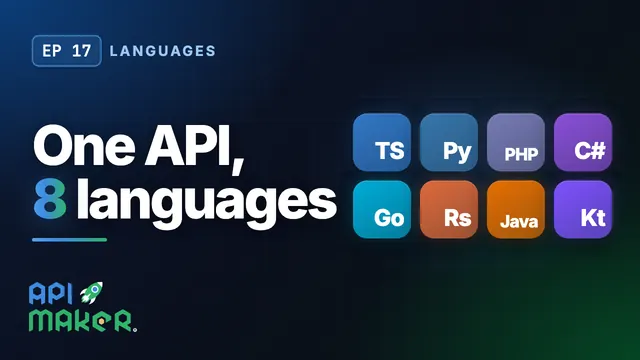 Length 4:44Languages