

Developer toolsEpisode 52 4:55 10 chapters November 2026
Developer Tools: Swagger, Redis Dashboard, Typed Rows and Shortcuts
The small tools that save hours: Swagger documents of your APIs, the cache in plain sight in the Redis Dashboard, typed rows from Generated Interfaces, the keys of the panel, and the docs in your language with a cheat sheet.
In the playlists The complete course Developer workflow
Chapters
What you will learn
- Swagger documents, tried for real
- The Redis Dashboard
- Generated Interfaces
- The keys of the panel
- The docs in your language, and the cheat sheet
Transcript606 words · click a time to play from there
Intro
Some small tools save hours. Documents of your APIs, the cache in plain view, rows with types, and the keys of the panel. In this video, we look at the developer tools of API Maker.
The usual way
Hours usually go to writing API documents by hand for each partner, and signing in to a server to read a cache. With API Maker, Swagger documents come from the APIs themselves, and the panel shows the cache, the types, and the keys. In this video: Swagger documents, the Redis Dashboard, Generated Interfaces, the keys of the panel, and the docs, in your language.
Swagger documents
Open Swagger Docs, the page of the menu. Use the address of the documents of one API user, here Support Desk. You see its APIs: only the three its group opens. Click Authorize, with a token of Support Desk. Then, open the support tickets. Pick Get all, Try it out, and Execute. It is a real call to the server, with its real answer.
The Redis Dashboard
Open the Redis Dashboard. It shows the keys of the Redis cache as a tree. Click Expand All. Here is the kept answer of Sales By Status: its value, and the seconds it has left. Click Add New Key. Name it calmhome colon banner, for three hundred seconds, with a value in JSON. Save it. In the tree, it is counting down. Click Delete, and yes. It is gone.
Generated Interfaces
Open Generated Interfaces. db-interfaces gives types to the rows of every table of the account, from its schemas. Here is mysql, sales, orders. Here is mongodb, catalog, products, with its arrays and objects inside. And types holds every call of g. Download them for an app, a test, or an AI assistant.
The keys of the panel
Command K opens any page of the panel. Type redis, and press Enter. Back in API Testing, pick Custom APIs, Cart Quote, and its code. Put the cursor in place. Command I opens Insert Code. It shows the docs, and any block of code in them goes in at the cursor. Close it. The editor can fill the page, and Escape brings it back. Here are the keys in one place.
Command K opens pages. Command S saves the code on the screen. Command E runs it. Command I inserts code. Command B renames the browser tab. And in the Log Explorer, slash searches, and R refreshes.
The docs, in your language
The docs give every example in the eight languages of API Maker. Here is Get all, with g.sys.db calls. Pick Python once, and every example of the page follows. The next one too, and the one after. Open Master save. Python is already picked. The choice follows you on every page, and into every open tab of the docs. Under Getting started, open the cheat sheet. It is one page to keep next to your editor.
It has the address of every kind of API, and every operation. It has every header and its values, the query params, the schema, and the global object g, in the language you picked. Copy as Markdown gives the whole page to an AI assistant.
Good to know
Good to know. Encrypt Strings is in video twenty eight. Auto Increments is in video four. Native Process Logs is in video thirty eight.
Built on standards
Documents are made from the APIs themselves, for each API user. And rows get types from the schemas, so an AI assistant writes against the real names of the columns.
Recap
To sum up. Swagger documents, tried for real. The Redis Dashboard. Generated Interfaces. The keys of the panel. And the docs, in your language. Next: why API Maker is written in Rust. API Maker. Build faster, spend smarter, deliver better.
Keep watching
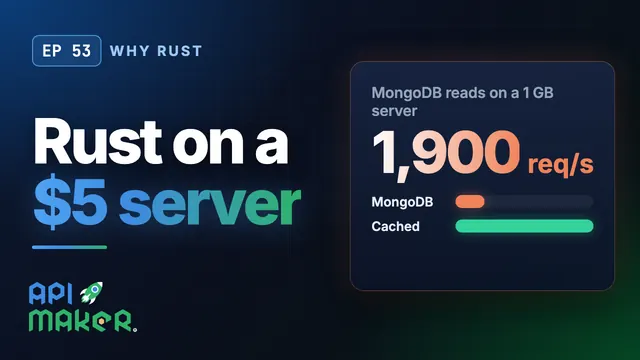 Length 5:30Why Rust
Why Rust: API Maker Load-Tested Live on a $5 Server
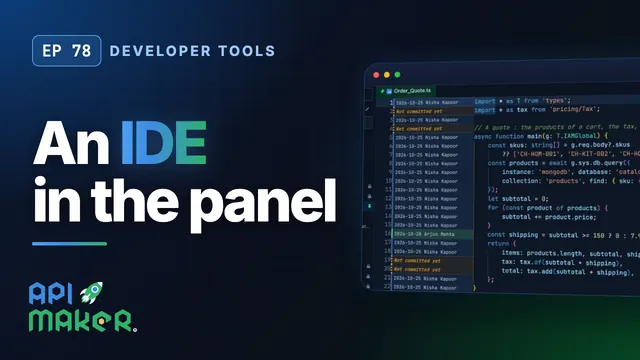 Length 7:16Developer tools
An IDE in the Browser for Your Backend Code: Go to Definition, Search, Git Blame
 Length 4:57Local client
Code Your Backend in VS Code: Two-Way Sync with the Local Client
 Length 4:18AI assistants