

Custom APIsEpisode 16 8:02 12 chapters November 2026
Custom API Gems: Uploads, Downloads, npm Packages, a Browser, Caching
The things most teams build by hand around their code, ready in a custom API: file uploads checked before the code runs, downloads by file name, any content type, external calls side by side, npm packages in a click, Chromium in a sandbox group of its own for PDF invoices, and caching in one line.
In the playlists The complete course Custom APIs & code
Chapters
What you will learn
- Upload rules as settings: a file in, a file refused
- A download is a file name
- Any content type: a page, an image, a file
- External calls side by side instead of one after the other
- An npm package in a click: a QR code from an API
- A browser in a sandbox group of its own: an invoice made by Chromium
- Caching in one line
Transcript1072 words · click a time to play from there
Intro
Custom APIs, part three. Around your code, most teams build many things by hand. In this video, API Maker does them for you: files in and out, any kind of answer, calls side by side, npm packages, a browser, and caching in one line.
The work around the code
Around the code of an endpoint, there is usually more work. A parser for uploads, with size and type checks written by hand. Temporary files and streams for every download. Another server for pages and images. And slow services, called one after the other. With API Maker, upload rules are settings. A download is just a file name. Your code picks the content type. And calls run side by side, with any npm package.
In this video: uploads with rules, files to download, any content type, calls side by side, npm packages, a browser in its own sandbox, and caching in one line.
Uploads with rules
Import Stock takes the stock counted in a warehouse, as a CSV file. Its settings hold the rules: one field named files, a CSV file, and four kilobytes at most. The code finds the file in g.req.body, reads it from the uploads folder, and returns its rows. Open Custom API, and click Test API on Import Stock. Open the Body, as form data. Add a field named files, of the type files, with the stock count of the Pune warehouse.
Send it. We get the three rows of the file. Now we try a PDF file. It is refused with a four hundred, before the code runs. Only a CSV file is allowed.
Files to download
Low Stock Report reads the inventory of SQL Server. It keeps the rows at or under their reorder level, and writes them to a CSV file in the uploads folder. It returns the name of the file, and the name to save it under. API Maker sends the file, and then removes it. From Custom API, click Test API on Low Stock Report. Send it. The browser saves low-stock.csv, a small file of a few hundred bytes.
From any client, it is a normal download. The curl command saves low-stock.csv, and its rows are the products to order again. Many files, or a whole folder, go out as one zip file.
Any content type
Your API can answer with any content type. Product Page reads a product in MongoDB. It sets the content type to HTML, and returns the page. In the same way, an API can answer with XML, plain text, or an image. It is a public API, so the browser can open it. Here is the Aurora desk lamp. With another SKU, we get the Nordic sofa. It is a product page, with no web server of its own.
Calls side by side
Supplier Quotes asks three suppliers for the price of a lamp, with g.sys.system.callExternalApi. First, it calls them one after the other. Then it calls the three side by side, with Promise.all. Each supplier takes three hundred milliseconds to answer. In Custom API, the row of Supplier Quotes is red. This means its calls are slow. Click Test API on it, and Send. One after the other, it takes close to a second.
Side by side, it takes about a third of that. And the best price is from atelier: thirty nine ninety. It is about three times faster, with one line changed. Now the slowest supplier sets the time, not the sum of all three. The calls leave from the sandbox where the code runs. There, localhost is the sandbox itself. So a service on the same machine is called by its network address.
npm packages
Your code can use npm packages too. Open Operations, then Sandbox Settings. Search npm for qrcode, and pick its latest version. Click Add, and Save. The image of the sandboxes is built again, with qrcode inside. Order QR loads qrcode, like any Node.js module. It sets the content type to a PNG image, and returns the QR code of an order. We open it in the browser, and we see the QR code of an order, as a PNG image.
Python, PHP, C sharp, Go, Rust, Java, and Kotlin get their packages on the same page, from their own package stores.
A browser in its own sandbox
Some packages bring a whole program, like a browser. Invoice PDF uses its own sandbox group, named browsers. This group has a Dockerfile that installs Chromium, and the package playwright, in the same version. The code reads an order from MySQL, with its lines and its customer. It draws the invoice in Chromium, and returns the PDF as a file. The other APIs of the account keep their small image.
Open Custom API, and click Test API on Invoice PDF. Give an order number, and Send. We get invoice-CH-2026-0003.pdf. It has four lines and a total, made by Chromium in a sandbox of the group. When we saved the API, that image was built on every server. It takes about a minute the first time. After that, it is not built again while the Dockerfile and the packages stay the same.
Caching in one line
The last gem is caching. Sales By Status has enableCaching in its settings. Open Custom API, click Test API, and Send. The answer comes from MySQL, marked api, in a fraction of a second. Send it again. Now the same answer comes from Redis, marked cache, in a few milliseconds. When someone writes to the orders, the cache is cleared. Video twenty nine shows how.
Good to know
Good to know. Each upload field, files, files1, and so on, has its own rules: a smallest size, a largest size, and the file types it takes. Uploads land in the uploads folder, which the code and the backend share. And a package added for one language is in every sandbox of that language, on every server.
Built on standards
The rules live in the settings, so every API checks files in the same way. A file, a page, or an image is just one return away, with no server to add. And an AI assistant writes the same few lines that a person would write. There is nothing to wire up.
Recap
To sum up. Uploads are checked before the code runs. A download is a file name. Any content type works: HTML, images, and files. External calls run side by side. npm packages come in a click. A browser runs in its own sandbox group. And caching is one line. Next: one API, in eight languages. API Maker. Build faster, spend smarter, deliver better.
Keep watching
 Length 5:28Languages
One API in 8 Languages: TypeScript, Python, PHP, C#, Go, Rust, Java, Kotlin
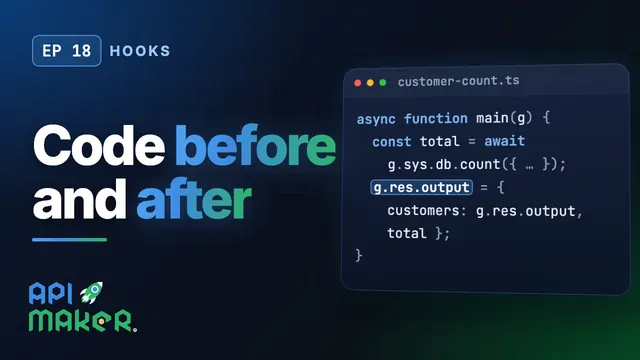 Length 7:15Hooks
API Hooks: Run Your Code Before and After Every API
 Length 5:15System APIs
System APIs: Encryption, Hashing, Tokens and Redis, Ready to Call
 Length 6:03Utility classes