

System APIsEpisode 19 5:15 10 chapters November 2026
System APIs: Encryption, Hashing, Tokens and Redis, Ready to Call
Encryption, hashing, tokens, Redis keys, data checks, table meta, indexes and events: APIs every API Maker account already has, closed by default and opened one by one. Use them from the panel, from a terminal and from your code.
In the playlists The complete course Custom APIs & code
Chapters
What you will learn
- The System API page
- Encrypt and decrypt
- Data checked against a table, and the real shape of a table
- A system API opened with one setting
- From a terminal
- The same from code
Transcript679 words · click a time to play from there
Intro
Every account already has APIs for common jobs: encryption, hashing, tokens, Redis keys, data checks, indexes, and events. In this video, we use the system APIs of API Maker, from the panel, from a terminal, and from your code.
Building blocks, the usual way
Common jobs usually mean more work. You choose a library for each one: for crypto, tokens, and the cache. You wire its keys and settings into every service. And each time, you add one more endpoint to secure. With API Maker, they are ready in every account. They use the keys of the secret of the server. And they stay closed until you open one. In this video: the System API page, encrypt and decrypt, data checked against a table, the real shape of a table, a system API opened to applications, and the same calls from code.
The System API page
Open APIs and Logic, then System API. You see every system API, each with its address. No-Access means nobody can call it from outside, until a setting opens it. Only Get token is public, because that is how an application signs in. Test API opens one in API Testing. The panel is allowed to call them all.
Encrypt and decrypt
Open the body. Here is an order that we want to send to a browser, encrypted. Send. We get the encrypted text, made with the transfer key of the default secret. Now pick Decrypt data. Open its body, and paste that text. Send, and we get the order back.
Checks of a table
In API Testing, pick System APIs, then Is valid data for table. In the body, we put a customer of PostgreSQL, with the city given as a name, for a save. Send. Nothing is written, and the errors come field by field. Pune is not a number for city_id. And email, loyalty_tier, and created_at are required. Now we check it for an update. Only the fields we send are checked, so one error is left.
Now pick Get table meta data. In its body, we name the products of MongoDB. Send. We get every field, its type, how many of the thirty six products have it, and if its values repeat. On MongoDB, nothing declares the shape of a collection. So this is the shape it really has.
A system API opened
Now we open an API for applications: Hash data. Click Add System API Setting. The template says TOKEN_ACCESS. So an API user whose groups allow it can call it. Save it. The chip now says AM-User. From a terminal, before the setting, the answer is four oh one: you are not allowed to call this API. After the setting, with the token of an API user, we get the hash of the email.
It is the same every time. Without a token, it is four oh one again.
The same from code
Your code can use the same blocks. g.sys.system.encrypt and decrypt, hash, isValidDataForTable and getTableMeta, and g.sys.cache, for Redis keys that expire. When a custom API calls them, they need no setting, because your code is trusted. And the same names exist in all eight languages, each in its own style.
Good to know
Good to know. Execute plain query is not on the page. Only your code calls it. Create indexes, Drop indexes, and Get indexes work on the indexes of a table. Emit event and Emit event WS start events and WebSocket messages. Videos twenty one and twenty two show them. And a setting can also cache the answers of a system API, or accept only encrypted bodies.
Built on standards
There is one version of each block, for every team and every language. They are closed by default, and you open them one by one, with the same tokens and groups as every other API. So code written by an AI assistant calls g.sys.system.hash, and never writes its own crypto.
Recap
To sum up. Every account has ready made APIs. Encrypt, decrypt, and hash. Check data against a table, and see its real shape. Each one stays closed until a setting opens it. And your code can call the same blocks. Next: utility classes and process initializers. API Maker. Build faster, spend smarter, deliver better.
Keep watching
 Length 6:03Utility classes
Utility Classes and Process Initializers: Shared Code, Loaded Once
 Length 8:36Heavy APIs
Separate Sandboxes for Heavy APIs: Bun, Sandbox Count and Restarts
 Length 6:16Per admin
Install Node.js, Python, Go or Java on Every Server, per Admin
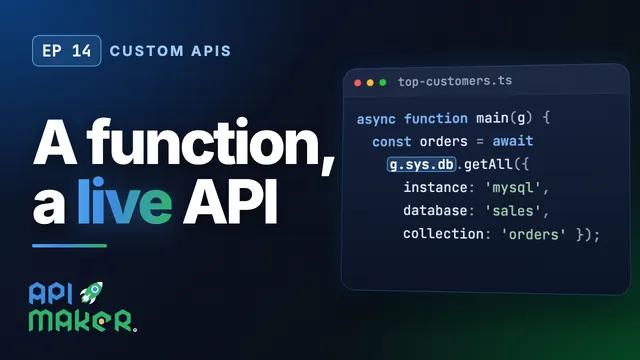 Length 6:01Custom APIs