

Table designerEpisode 54 12:35 16 chapters November 2026
Create Databases and Tables in the Panel: One Designer, Six Engines
Make databases and tables on MongoDB, MySQL, MariaDB, PostgreSQL, SQL Server and Oracle right in the API Maker panel. Design column by column, read the statements written for your engine before they run, run scripts of your own, edit tables as ALTER statements, and keep the schemas of API Maker in step, both ways.
In the playlists The complete course Databases & schemas
Chapters
What you will learn
- A new database, with the options of each engine
- Design a table: columns and types, defaults, checks, indexes
- The statements written for your engine, shown before they run
- One design on six engines, made with its schema and APIs
- A SQL script of your own, all or nothing
- Edit a table: the ALTER statements first, and the schema follows
- Tables changed outside API Maker, MongoDB collections, and removing safely
- Rename a table or a database: the schemas go along
Transcript1707 words · click a time to play from there
Intro
MongoDB, MySQL, MariaDB, PostgreSQL, SQL Server, and Oracle. You can make their databases and tables right in the panel. You design them column by column. The statements are written for your engine, and shown before they run. And the schemas of API Maker stay in sync.
Tables, the usual way
Making a table usually means extra work. You need a SQL client for each engine, and six ways to write CREATE TABLE. You write ALTER statements by hand, and one typo loses a column of data. And your APIs learn about the change only when a call fails. With API Maker, there is one designer for six engines. The statements are written for your engine, and shown before they run.
And the schema of every table stays in sync with it. In this video: a new database, a table designed column by column, one design on six engines, your own scripts, a table edited, a table and its schema back in sync, MongoDB collections, removing safely, and renaming, with the schemas along.
A new database
Calm Home starts a loyalty program, Calm Rewards, and it needs a database. Open Instance API, pick the PostgreSQL server of the instance postgres, and click Add New Database. Its name is loyalty. PostgreSQL takes an owner, a template to copy, an encoding, and a locale. If they are empty, the server uses its own. Below, you see what will run on the server, written as you type. Click Save Database.
loyalty is there, with no table yet. Each engine asks for what its databases need. On MySQL, a new database has a character set and a collation, and it runs only when no database of that name exists. On Oracle, a database is a user. Until it has a password, the dialog says so. The password is sent once, kept nowhere, and shown as stars. Then come its tablespace, and what the user can do, as grants.
And MongoDB keeps a database only once it holds a collection. So a first collection
A table, column by column
is made with it. Now its first table. Click Design a new table. The designer reads what PostgreSQL offers, and starts with a key, id, a bigint that the database numbers. Its footer always says where the design stands. Here, the table needs a name. Name it members, and add a comment. It is ready. The statements are written while you design. Add a column. Name it customer_id, the customer of the CRM.
Its type comes from the list of PostgreSQL: fifty four types in groups, each with what it holds. Type bigint. Pick it. Every member has one, and no customer joins twice. Then, add the points. It is an integer, never empty, with a default value of zero. Under More, add a check: points never go below zero. The usual columns take one click. Created and updated are two dates that the database fills.
Now the indexes. Add one, on points, the largest first, for the leaderboard. Its name is made for you. Open the SQL tab. There are three statements, written by the server for PostgreSQL. First the table, with its key, its unique customer, and its check. Then the index, and the comment. Nothing has run yet.
One design, six engines
Here is the same design on every engine: a key, an email, an amount, a yes or no, and two dates, all quick columns. MySQL numbers the key with AUTO_INCREMENT, sets updated_at on every change, and names its engine and character set. PostgreSQL uses an identity, timestamps with their time zone, and now. SQL Server uses IDENTITY one one, a named constraint for each default, and a batch that ends with GO.
Oracle uses NUMBER nineteen, an identity on null, and a check that keeps a yes or no to one and zero. MongoDB uses a collection that checks every document against a JSON schema, and a unique index. And MariaDB writes what MySQL writes. One design, and each database gets what it understands.
Made, with its schema
Click Create table. It is made. And API Maker asks: make its schema now? The APIs with a schema check every write against it. Its code is written from the table: the key numbered by the database, the required columns, and their types. You can change it before it is saved. Make the schema. Now public.members has its schema, and its twenty eight APIs are live, without a line of code.
How it works
Here is how it works. The panel sends the design, never SQL. The Rust core of API Maker checks it against what the engine allows, and writes the statements for that engine. You see them first. They run on your database, in one transaction where the engine has them. Then the schema follows the table, and the APIs are ready.
Scripts of your own
Some tables are quicker to write than to click. Open Run a SQL script. We write two tables and an index: rewards, and redemptions, which points to members and to rewards. On the right, you see the three statements as PostgreSQL will get them, each with its line. It is all or nothing. PostgreSQL takes back what a failed script made. Click Run. The second statement fails: relation public.member does not exist, with its code and its line.
So the first one was taken back, and the third never ran. Nothing changed. Add the missing s, and Run again. Three statements are committed. Both tables are listed. Tables made by a script get their schemas from Bulk Schema Creation, as video two shows.
A table edited
The program grows, with tiers and birthday rewards. Pick public.members, and click Edit the table. The designer reads it back from PostgreSQL, with every field filled: the columns, the key, the index, the check, and the comment. There is no change yet. points becomes a bigint, marked as edited. Add a new column, tier, of sixteen characters, never empty, with silver by default, so the existing members get one too.
And then, add birthday, a date. Did we remove updated_at by mistake? It waits below, with what it was, and the footer warns that a change can lose data. Put it back, and it never left. The SQL tab lists the three changes and their ALTER statements. They run all or none. Click Apply changes. Now the schema follows the table. The current schema is on the left, and the new one on the right, with tier and birthday added.
Your checks and comments are kept. Update the schema.
Table and schema in sync
Tables also change outside API Maker, with a migration, or a colleague with a SQL client. Someone added referral_code to members, and dropped birthday. The row of members now has a mark. It means the table and its schema differ, and the tooltip says how. A click lists it, field by field. referral_code is not in the schema. birthday is not in the table. You can settle each one either way.
First, referral_code. The schema follows the table. Only what differs changes, and it is shown before it is saved. It is saved. Then birthday, the other way. The table follows the schema. The designer opens with birthday filled in from the schema, for you to review. The schema only says a date, and for a birthday, a day is enough. Click Apply changes. The mark is gone. The table and its schema say the same again.
Collections of MongoDB
MongoDB works the same way. On catalog, click Design a new collection. Name it gift_cards. Add a field, code. Every document has it, never twice. Then add a pattern of ten capital letters or digits. Quick add an Amount, named balance, never below zero, and the two dates. In the options, only the fields above are allowed in. Its shell script uses createCollection with a JSON schema validator, and the unique index.
Click Create collection, and make its schema.
Removing, safely
Now removing, safely. Pick public.redemptions, and Permanently Delete. The dialog says what goes: rows, indexes, and keys. It shows the statement, and it takes the API Maker schema along. You type the name to confirm. It is removed. The database loyalty_test is where a colleague tried things. Pick DROP DATABASE, with its connections closed first, on any version of PostgreSQL. Type its name, and it is gone, with its schema.
Renaming, schemas along
Names change too. At the launch, the rewards are called perks, and the database takes the name of the program. Pick public.rewards, click Edit the table, and give its new name, perks. It is one statement: ALTER TABLE, RENAME TO. Click Apply changes. The table is renamed, and its schema goes with it. public.perks has its twenty eight APIs, under the new name. Now the database. Click Edit, and name it calm_rewards.
The schemas of its tables follow it. PostgreSQL renames a database only when nobody uses it, so the connections to it are closed first. Click Update Database. It is renamed, and two schemas moved with it. Here is calm_rewards, with members and perks.
Good to know
Good to know. A table that is not made yet is kept in the browser. Open the designer again, and Restore brings it back. Before it applies, the designer reads the table again. If it changed in the meantime, it asks. PostgreSQL and SQL Server take back a failed script. MySQL, MariaDB, and Oracle run each statement by itself, and the designer says so. Scripts are split the way each client splits them: GO, the slash after a PL/SQL block, and DELIMITER.
And with Remember my choice, schemas follow their tables without asking.
Built on standards
It is built on standards. Nothing runs before you see it, and a change that can lose data is named. Schemas stay in sync with their tables, so the APIs check what the tables really hold. A script written by an AI assistant runs statement by statement, each with its result, its line, and its error. And removing always shows the statement, and asks for the name.
Recap
To sum up. You make databases from the panel, on six engines. You design tables column by column, with statements written for your engine. You run your own scripts, all or nothing. You edit tables, with the ALTER statements shown first. Schemas stay in sync with their tables, both ways, and are renamed with them. Next: schemas in depth. API Maker. Build faster, spend smarter, deliver better.
Keep watching
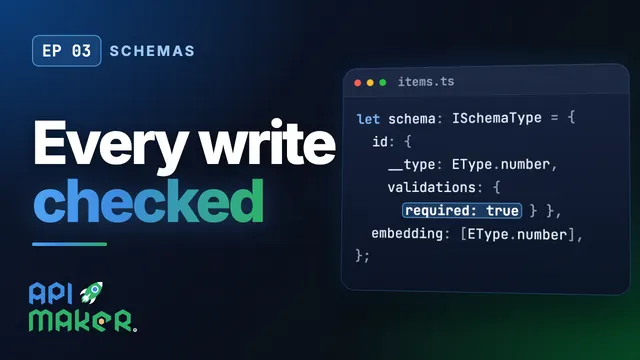 Length 7:01Schemas
Table Schemas in TypeScript, Checked on Every Write
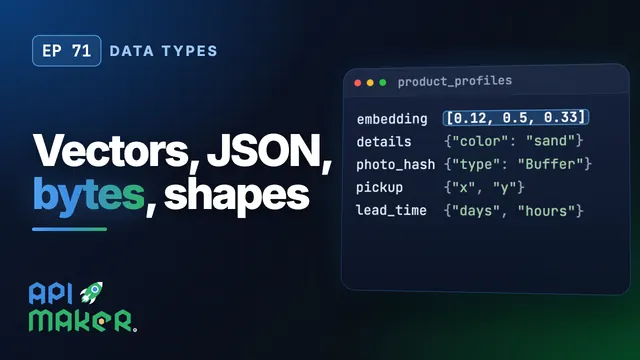 Length 5:43Data types
Vectors, JSON, Bytes, Shapes and Intervals Through One REST API, on Six Databases
 Length 6:42Data safety
Encrypted and Hashed Fields, Auto Increment and Optimistic Locking
 Length 4:56ER diagram