

DatabasesEpisode 2 6:49 12 chapters November 2026
Connect 6 Databases and Get REST APIs for Every Table
Connect MongoDB, MySQL, MariaDB, PostgreSQL, SQL Server and Oracle to one API Maker backend. Connection strings stay in a secret on the server, every instance is tested before it is saved, and every table answers REST APIs without a line of code.
In the playlists The complete course Databases & schemas
Chapters
What you will learn
- Keep connection strings in the default secret, never in your code
- Add an instance per database server, tested before it is saved (TiDB and Percona connect as MySQL)
- Browse databases and tables, and write a schema for every table in one click
- Call the generated APIs of six engines from one page
- Compact a MongoDB database, or every database of an instance at once
- What happens when an instance is cloned, made inactive or deleted
Transcript876 words · click a time to play from there
Intro
Six databases: MongoDB, MySQL, MariaDB, PostgreSQL, SQL Server, and Oracle. All of them connect to one backend, and every table gets APIs. In this video, we add the warehouse database of Calm Home, live.
Six databases, the usual way
Six databases usually mean a lot of work. Six drivers, six connection pools, and six URL formats. Passwords in .env files, and too often in Git. And the same CRUD code, written again for each table. With API Maker, you fill one form for each database server. Its connection string stays in the default secret, on the server. And every table gets its APIs, with no code at all. In this video: the default secret, a new instance, added and tested, its databases and tables, schemas for every table at once, the APIs you get, and how to manage an instance.
The default secret
First, the passwords. Open Security, then Secret Management. The secret named Default holds what must never go to Git. Under connectionString, there is one key for each database type: mongodb, mysql, mariadb, sqlServer, postgresql, and oracle. Each one has its username and password. The values stay on the server, encrypted. Here, they are blurred. We do not need to change anything. An instance never keeps a connection string itself. It only names a key of the secret, and only that name goes to Git.
Each server reads the real value from its own secret. So the same instance works on every environment.
An instance added and tested
Now we add a database. Open APIs and Logic, then Instance API. Click Add New. There are six tiles for eight databases. TiDB and Percona XtraDB connect like MySQL. Pick the SQL Server tile. The key sqlServer of the secret is picked for you, and the form shows what its value looks like. The name, sqlserver, becomes part of every API address. Click Test Instance. It is connected. Click Save Instance.
It tests again, and then saves.
Databases and tables
The new instance lists the databases of the server, with their size. Open warehouse. It has three tables: inventory, shipments, and warehouses.
Schemas for every table
Bulk Schema Creation lists the tables that have no schema yet. Select all three. Click Generate Schemas. Each schema is made from what the table holds today.
The APIs that appear
Open dbo.inventory. It has one hundred and forty four rows and one index, and its APIs are already there. There are twenty eight. Fourteen SCHEMA APIs check every value with the schema. Fourteen GEN APIs go straight to the table. A MongoDB collection gets seventeen of each. We wrote nothing. Every database type looks the same here. MongoDB, with the catalog database and its collections. PostgreSQL, with crm. Its table names start with their schema name, public.
Oracle, with HR, and names in capital letters. One page, one way of working, six databases.
Made here too
You can also make a new database from this page. Click Add New Database, and type its name. You see the statement made for its database type, before it runs. Save it. To add its tables, there is a designer, with their schemas. Video fifty four shows it. One more tool, for MongoDB. Open the catalog database, and click Compact Database. You see every collection, with its documents and its storage.
You also see the space MongoDB still keeps from removed documents. This is called reusable space. Here, old review drafts were removed. Click Compact. It asks first. Click Yes. Each collection is rewritten on its own, and one failure never stops the others. Space Freed shows how much space came back. No shell, and no command to type for each collection. You can also compact a whole instance at once.
Pick the instance mongodb, open More Actions, and click Compact Instance. It lists every database of the instance. Here, catalog, and shop_events, where old page views were removed. admin, config, and local are MongoDB's own databases, so they are left alone. Click Compact, then Yes. You see what each database gave back, and the total.
The life of an instance
Now, how to manage an instance. Open More Actions, and click Clone. We get sqlserver-clone. On the clone, click Make Inactive. Its APIs stop until it is active again. Show All brings it back in the list, in grey. Then click Permanently Delete. Its schemas, hooks, and settings in API Maker are removed. The data in the database is not touched.
Good to know
Good to know. The APIs of an inactive instance answer four hundred, as if it did not exist. When you rename an instance, every link to it is updated: hooks, groups, settings, and logs. Oracle needs two more keys, the username and the password, and one privilege. And any text key of the secret works. connectionString is only the usual name.
Built on standards
No password is in code or in Git, only the name of a key. Every database type gets the same API shape and the same errors. So when an AI assistant connects a database for you, it cannot leak a password into your code.
Recap
To sum up. Connection strings stay in the default secret, on the server. You add one instance for each database server, and test it before you save. You make schemas for every table in one click. And every table gets its APIs, on six database types. Next: schemas in depth. API Maker. Build faster, spend smarter, deliver better.
Keep watching
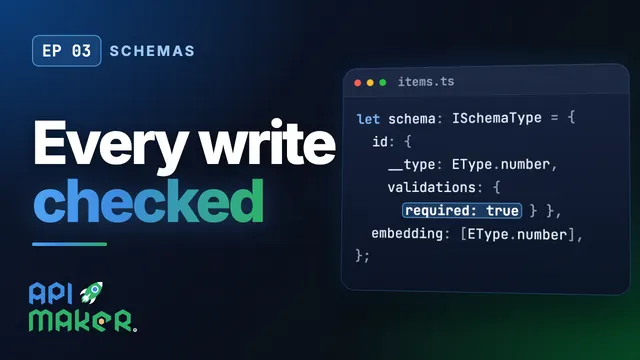 Length 7:01Schemas
Table Schemas in TypeScript, Checked on Every Write
 Length 12:35Table designer
Create Databases and Tables in the Panel: One Designer, Six Engines
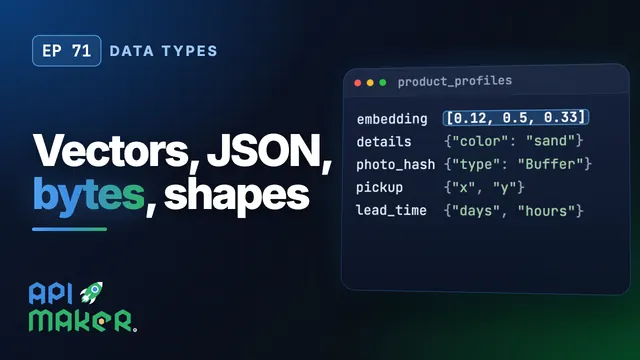 Length 5:43Data types
Vectors, JSON, Bytes, Shapes and Intervals Through One REST API, on Six Databases
 Length 6:42Data safety