

JSON, XML or YAML, in your case
A header picks the format of the answer, another the case of every key (camelCase, snake_case…), a third flattens nested objects for grids and spreadsheets. Custom and system APIs read the same headers.
API Maker
The backend engine for the AI era
Database APIs
Connect a database. Every table and collection gets its REST APIs at once.
API Maker reads your databases and serves APIs for every table: list, read, save, update, delete, query, count, distinct values and streams. Use them straight on the table, or as schema APIs that check every write. No code to write for any of it.
Step through it, slow it down, or open the full canvas.
 api-maker/features/auto-generated-apis-from-databaseLive
Connect any of 8 databases. Pick the connection string from your Secret. API Maker connects and lists every database, table and collection.
Pick the connection string from your Secret. API Maker connects and lists every database, table and collection.
A MongoDB collection gets 17 generated APIs, from get all and streams to aggregate. A SQL table gets 14. No code.
The schema is detected from the data (the first 100 documents, or the table columns). Its 17 schema APIs validate every write.
find, sort, limit and select shape the answer on the server. skip, deep and getTotalCount are there too.
A schema API answers 400 with a clear message for every field, and saves valid data with 201.
The stream APIs read and send 1000 rows at a time and wait for the client, so memory stays flat whatever the size.
A header picks the format of the answer, another the case of every key (camelCase, snake_case…), a third flattens nested objects for grids and spreadsheets. Custom and system APIs read the same headers.
Populate related rows with deep, or filter on fields of related tables with find, even when they live in another database.
Every API needs a token unless you make it public, and groups decide which APIs and fields each user can use.
Every table gets these APIs under /api/gen. Tables with a schema get them again under /api/schema, where each request goes through the schema first. The examples below use the products table of an instance named shop.
Base path/api/gen/<api path>/<instance>/<database>
| API | Method and path | What it does |
|---|---|---|
| Get all | GET/:table | Rows of the table, filtered, sorted, paged and trimmed to some fields by the query string. |
| Get all by stream | GET/:table/stream | The same filters as get all. The rows are sent as a stream, for exports of any size. |
| Get by id | GET/:table/get-by-id/:id | One row by its id. Add a column name after the id to find the row by that column instead. |
| Save single or multiple | POST/:table/save-single-or-multiple | Insert one row, or an array of rows in one call. |
| Master save | POST/:table/master-save | A row with its related rows, following the relations of the schema: rows with an id are updated, the others inserted. |
| Array operationsMongoDB only | PUT/:table/array-operations | Push, add to set, pull, pop or set items of an array field, in the documents that match find. |
| Update many | PUT/:table/update-many | Set the same fields on every row that matches find. |
| Update by id | PUT/:table/update-by-id/:id | Change some fields of one row. upsert and returnDocument go in the query string. |
| Replace by idMongoDB only | PUT/:table/replace-by-id/:id | Replace a whole document with the body. |
| Remove by id | DELETE/:table/:id | Remove one row by its id. |
| Query | POST/:table/query | find, sort, skip, limit, select and deep in a JSON body, for filters too long for a URL. |
| Query by stream | POST/:table/query-stream | The query API, with the rows sent as a stream. |
| Remove by query | POST/:table/query/delete | Remove every row that matches find. A missing or empty find is refused. |
| AggregateMongoDB only | POST/:table/aggregate | Run a MongoDB aggregation pipeline on the collection. |
| Count | POST/:table/count | How many rows match find. |
| Distinct | GET/:table/distinct/:field | Unique values of one or more fields. Add /asc or /desc after the fields to choose the order. |
| Distinct with query | POST/:table/distinct/:field | Unique values of the fields, among the rows that match find. |
GET /api/gen/admin/shop/main/products?find={"stock":{"$gt":0}}&sort=price&limit=10&select=name,price&getTotalCount=truex-am-authorization: <API user token>admin is the API path of your account, shop the instance, main the database and products the table.
POST /api/schema/admin/shop/main/products/queryx-am-authorization: <API user token>{ "find": { "stock": { "$gt": 0 }, "category": { "$in": ["mouse", "keyboard"] } }, "sort": { "price": 1 }, "limit": 10}On the real admin panel, with real data.
 Length 5:46DatabasesConnect 6 Databases and Get REST APIs for Every Table
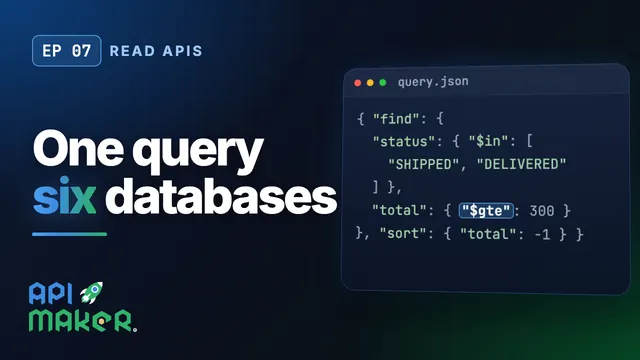 Length 5:01Read APIsOne Query Language for Six Databases: find, select, sort, aggregate
 Length 3:25Write APIsSave, Update and Remove on Any Database with the Same API Calls
 Length 3:54Request headersShape Every API Answer with Request Headers: camelCase, XML, YAML, Flat
Generated APIs (/api/gen) run your request on the table as it is. Schema APIs (/api/schema) first apply the schema of the table: type conversions, default values, validations, encryption and relations. Both exist for every table that has a schema.
No. The generated APIs are generic routes, so a new table is served by the same handlers.
Yes. Pre and post hooks run your code, in any of 8 languages, before and after any generated API, and custom APIs cover everything else.