

Cloud modeEpisode 58 6:14 10 chapters October 2026
Launchpad: Deploy API Maker to Your Own Servers over SSH
The Cloud mode of API Maker Launchpad installs API Maker on servers you rent anywhere, from one server to a load balanced cluster, and keeps them running. Everything happens over SSH from your computer: no agent, a layout to start from, every change reviewed server by server, and a live deployment in stages.
In the playlists The complete course Launchpad
Chapters
What you will learn
- Local and Cloud mode, over SSH with no agent
- A server added, a project and its first environment
- Four layouts, and what is still missing
- API Maker v4 on the servers
- Review and deploy, live
- What lands on a server, the firewall, native or Full Docker
Transcript915 words · click a time to play from there
Intro
The Cloud mode of API Maker Launchpad installs API Maker on servers you rent anywhere, from one server to a load balanced cluster, and keeps them running. Everything happens over SSH, from your computer.
Servers, the usual way
Running a backend on your own servers usually means a wiki of shell commands, one per server, servers that drift apart, each set up a little differently, an agent or a control plane to install and to pay for, and a deployment you hope will work. With Launchpad, every server is set up from one window, every change is planned, and shown server by server before it runs, over SSH only, with no agent, and the deployment runs in stages, with the output of every server, live.
In this video : Cloud mode, a server added, a project and its layout, API Maker version four on the servers, the review, the deployment, and what lands on a server.
Cloud mode
At the top of the window, Local and Cloud. Cloud : the projects, each with its environments. Production of Calm Home : deployed, with its version of API Maker, and its address. Below, the latest operations. Servers : every server, its system, its size, when it was last seen. Operations : everything done to your servers, and the Cloud settings. Everything happens over SSH from this computer : nothing is installed here, and there is no agent and no Launchpad server.
Passwords and keys are encrypted with AES two five six G C M, the key kept in the keychain of your system, never in the data of the projects.
A server added
Add a server. Ubuntu twenty four point zero four, x86 or ARM. The email your provider sent : paste it, and the form fills itself in : the address, the user, the password, and a name. A private key, the SSH agent or a jump server work too. Test the connection : the system, the memory, the disk and the rights are checked, and the host key of the server is shown.
Once trusted, it is pinned : a server that shows another one is refused. Saved.
A project and its layout
On a fresh computer : no project yet. New project, Calm Home, and its first environment, production, opens. Choose a layout : how many servers, and what runs on each. All in one : one server runs everything, the quickest way to start. There, API Maker can run in Docker too, or natively, as a systemd service. App plus data : API Maker and the gateway on one server, the databases on another.
Dedicated databases : API Maker, its own MongoDB and Redis, and your databases, on three servers. Load balanced : a gateway, API Maker on as many servers as you need, and the data. Use this layout. The architecture is drawn, and Launchpad lists what is still missing before a deployment : the servers to connect, and the license key of each API Maker server. The servers of the layout are planned : connect each one, or use servers you already added.
API Maker v4 on the servers
Production, its servers connected, not deployed yet. Its settings : a new environment runs API Maker version four, one program per server, the Linux build of its processor, with no Node.js on the server. And every API Maker server has its own license key : no key is shared by the servers of an environment.
The review
Review and deploy. Launchpad reads the servers first, then lists, server by server, what is installed, updated or removed, what restarts, and whether API Maker stops meanwhile. Data is never deleted unless you tick it, and nothing changes before you click Deploy. In production, a change to what already runs asks for the name of the environment first.
The deployment
Deploy. The operation shows its stages and its steps, with the output of every server, live. Up to six servers work at the same time : API Maker downloads while the databases start, every server pulls its images at once, and a server with enough memory starts its databases side by side. A deployment can be stopped, and deploying again goes on from where it stopped. It ends when API Maker answers through its entry, and each database gets its instance in API Maker.
What lands on a server
What lands on a server? Its configuration in root config : the env file, a compose file per service, the reverse proxy. The data of every container in docker data, the logs, and API Maker in root projects. systemd runs the API Maker program, starts it at boot and again after a crash, and its log is rotated past fifty megabytes. The firewall is set up too : the web reaches the reverse proxies only, every other port is open to the servers that use it, and SSH is never closed.
Natively, API Maker is a systemd service, and the environment can spread over as many servers as you like. In Full Docker, API Maker runs in a container on the network of its server, with everything else, on one server. Switching is planned like any change, and when the new one does not answer, the one before starts again.
Recap
To sum up. Your servers, from one window, over SSH, with no agent. A layout to start from, and what is missing, said. API Maker version four : one program per server, no Node.js. Every change reviewed server by server before it runs. And a deployment in stages, live. Next : clusters, load balancing and reverse proxies. API Maker. Build faster, spend smarter, deliver better.
Keep watching
 Length 6:56Clusters
Design Clusters on a Canvas: Replica Sets, Galera, Gateways and HTTPS
 Length 7:15Day two
Launchpad Day Two: Upgrades, Health, Logs and Moving Data Between Servers
 Length 7:24Native APIs
Node.js, Python, Go and Java for Native APIs, Installed for You
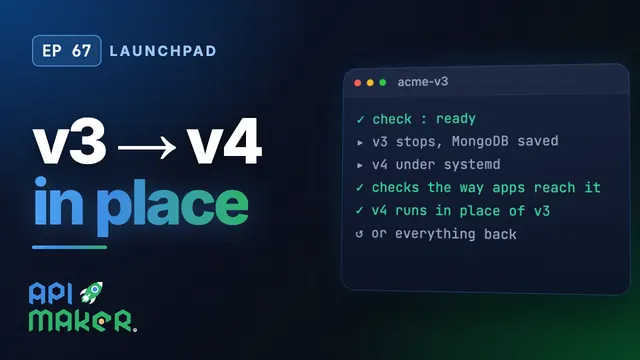 Length 6:28Upgrade from v3