

Upgrade from v3Episode 67 7:42 11 chapters November 2026
Move an API Maker 3 Server to v4 in Place, with API Maker Launchpad
A server of API Maker 3 moved to version 4 where it is, with API Maker Launchpad: a check that changes nothing, servers it can not move refused with the reason, a review of every change to the env file and the Caddyfile, the migration run on the server itself, and everything put back, data included, when anything fails.
In the playlists The complete course Launchpad Upgrade from v3
Chapters
What you will learn
- What a server of API Maker 3 runs, and what version 4 runs instead
- The check: PM2 or systemd, MongoDB, Redis, Caddy, the license and the disk, read without changing anything
- The servers it refuses, and why
- The review: every step, the env file, the Caddyfile before and after, the final checks
- The run on the server: detached, followed live, PM2 to systemd
- A failure rolled back, and a migration cut by a reboot
- What stays after the move, and what changes
Transcript1052 words · click a time to play from there
Intro
Here, a server of API Maker 3 moves to version four in place, with API Maker Launchpad, and becomes an installation of Launchpad. It is checked before anything changes, and every change is shown first. The migration runs on the server itself, and everything is put back if anything fails.
An upgrade by hand
An upgrade by hand is usually risky. You stop PM2, and hope nothing else needed it. You move folders, and edit the env file line by line. You change the Caddyfile without breaking the addresses of your apps. And once the data has changed, there is no way back. With Launchpad, a check reads the server first, and changes nothing. A review shows every change before you confirm. The migration runs on the server, even with the app closed.
And if anything fails, everything is put back, data included. In this video: a server of version three, and of four, the check, a server it refuses, where the server goes, the review, the run, a failure, rolled back, a migration cut by a reboot, and after the move.
Version three, version four
A server installed by the version three script runs API Maker with PM2, or with systemd. It has two programs, api_maker_be and api_maker_fe, and the WebSockets on their own port. Caddy, started by hand, serves three addresses: the APIs, the WebSockets, and the files of the admin panel. MongoDB and Redis run in Docker, and the settings are in one env file. Version four is one program, run by systemd.
The APIs and the WebSockets share one port, and API Maker itself serves the admin panel. The MongoDB and Redis of Launchpad take over the same data, and Caddy keeps the addresses that your apps use.
The check
In Cloud mode, open V3 to V4 Migration: check, choose, migrate, or roll back. Pick acme-v3, the server of a customer, Acme, still on version three. Launchpad reads it, and changes nothing. It is ready. PM2 runs version three. It will stop, systemd will run version four, and PM2 keeps the other app it runs. MongoDB has three databases and forty one collections. They are saved before version four starts, and never changed.
Caddy keeps the same addresses. The license key stays the same, and the disk has room for the save. On the right, you see what version three runs, and the containers that the migration never touches.
A server it refuses
Not every server can move. Here, the MongoDB of API Maker is on another server. acme-v3 is one server of several, and moving only this one would run versions three and four on the same database. So it is refused, with the reason. It is also refused, before anything changes, for a Caddyfile it cannot change, port forty six twenty six already used, too little disk, or a server that Launchpad already manages.
Where it goes
Back to the server that can move. Pick where it goes in Launchpad: a new project, Acme, its environment production, and the latest version four. An existing environment works too, when it has no server, and was never deployed.
The review
Here is what the migration does, step by step, and what happens when something fails. Every change goes back, in the other order. In the env file, every setting of version three is kept: the secrets, MongoDB, and Redis. Three lines are added, for the admin panel and the Oracle client, and six are commented out, each with its reason. Here is the Caddyfile, before and after. The WebSockets go to the port of the APIs, and the admin panel goes to version four.
At the end, there are seven checks, the way apps reach the server. To start, type the name of the server.
The run
The migration runs on the server itself. Closing the app, or losing the connection, does not stop it, and the app follows its log. First, while version three still runs, version four is downloaded, checked against npm, and run once. Then version three stops, and MongoDB is saved while nothing writes to it. Version four takes its place under systemd, and Caddy now runs with systemd too. Then the MongoDB and Redis of Launchpad take over the same data, on the same ports, and the checks pass, the way apps reach it.
It is done. The server joins Acme, production, as an installation of Launchpad.
When it fails
And when something fails? Here, version four does not answer when it starts. Everything goes back, in the other order: Caddy, the services, the data of MongoDB from its save, the env file, the folder of version three, and PM2. Version three answers again, as it ran before. The page of the server says that the last migration was rolled back. A migration can also be cut on the server itself, by a reboot.
The page says where it stopped, and offers Roll back. From what the migration wrote down, version three comes back, as it ran.
After the move
After the move, the page of the server says that it is now an installation of Launchpad. It also says where the folder of version three, and the copies from before, are kept. Delete them once you no longer need them. The environment works like any other, with health, logs, files, and terminals. Its next deployment gives API Maker and Caddy the settings of Launchpad, after you review the changes.
Here is what stays. The data, now run by the MongoDB and Redis of Launchpad, on the same ports. The secrets of the env file. The license key. The uploaded files. And the addresses of your apps, with their certificates. Here is what changes. systemd runs it, instead of PM2. There is one program instead of two. And the WebSockets use the port of the APIs. Behind Caddy, their address does not change.
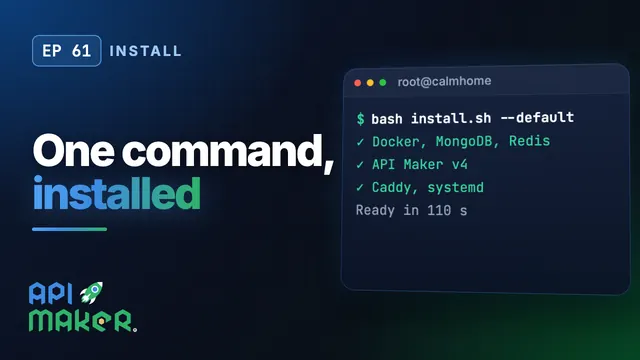
Without Launchpad, the installer of video sixty one moves a server to version four too, from the server itself.
Recap
To sum up. A check comes first, and changes nothing. A server that cannot move is refused, with the reason. You review every change, and confirm with the name of the server. The migration runs on the server, even with the app closed, and the server ends as an installation of Launchpad. And if anything fails, everything is put back, data included. Next: day two of an environment in Launchpad.
API Maker. Build faster. Spend smarter. Deliver better.
Keep watching
 Length 8:09Day two
Launchpad Day Two: Upgrades, Health, Logs and Moving Data Between Servers
 Length 6:18Upgrade from v3
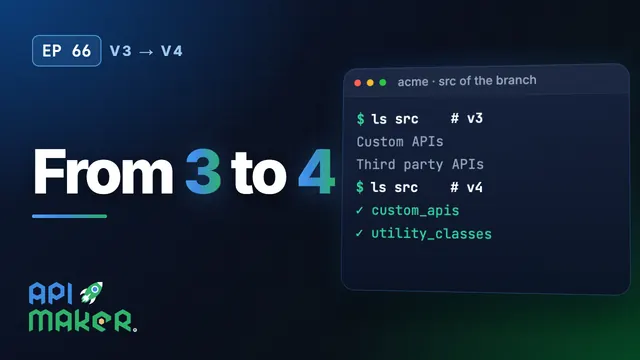
Upgrade from API Maker 3 to 4: What Changes in Your Code, Branch and Database
 Length 8:37Install
Install API Maker v4 on Ubuntu with One Command
 Length 6:53Cloud mode