

InstallEpisode 61 8:06 10 chapters October 2026
Install API Maker v4 on Ubuntu with One Command
One command on a fresh Ubuntu server installs API Maker version four, its MongoDB and Redis, systemd to keep it running, and Caddy in front. A new server of Calm Home goes from nothing to its admin panel in under two minutes, then upgrades with the same command, keeps every version, and grows to more servers.
In the playlists Start here The complete course Run in production Upgrade from v3
Chapters
What you will learn
- One command, and four questions with defaults
- What the installer does, and the summary 110 seconds later
- One program, kept running by systemd
- A stop without errors
- The same command upgrades, every version in its folder
- Where everything is, more servers, and from version three
- Room for a million clients, and other ways to install
Transcript1171 words · click a time to play from there
Intro
One command on a fresh Ubuntu server : API Maker version four, its MongoDB and Redis, systemd to keep it running, and Caddy in front. In this video, a new server of Calm Home, from nothing to its admin panel, in under two minutes.
A server, the usual way
A backend server usually means a runtime, a process manager and a web server to set up by hand, databases in containers, with their passwords and their volumes, and a day of notes that nobody else can repeat. With API Maker, one command does it all, one program serves the APIs, the WebSockets and the admin panel, and the same command upgrades it later. In this video : the command, its four questions, what the installer does, the new server in a browser, systemd and a restart, an upgrade, more servers, and the move from version three.
The install
On the new server, as root : download the installer, and run it. --default takes the default of every question that has one, --version picks the version, and --ip gives the public address, found by itself otherwise and asked to confirm. First, the server is checked : root, Ubuntu, the processor, glibc, systemd and the disk. What the installer needs, it installs. Four questions remain, each with its default in brackets.
A primary server : the first of an installation. Caddy in front, yes. SSL, not now : with yes, Let's Encrypt certificates for your domains, renewed by Caddy. And no QA, UAT or production environment of a project. The installer sums it up : one port for the APIs and the WebSockets, one for the admin panel, and new containers for MongoDB and Redis. Then it works. Docker, MongoDB, as a replica set of one member, for transactions, Redis, and the Oracle client, for instances of Oracle.
API Maker itself : the package of this processor, read from npm, checked against the sha512 npm publishes, and run once before anything changes. Its settings are written, systemd starts it, and the installer waits until it answers. Caddy comes last, with its Caddyfile. Under two minutes later, the summary. Both services active, and enabled at boot. Where everything is, and the secrets it generated, hidden here. The addresses : the admin panel on port eighty, the APIs on eighty eighty, the WebSockets on eighty eighty one.
The two default users, whose passwords you change at the first sign in. And the commands to start, stop, watch and upgrade API Maker.
One program
On the server, one program : api_maker_be. It answers the APIs and the WebSockets on one port, thirty eight, two four six, and serves the admin panel on forty six twenty six. Caddy passes the public ports to them. MongoDB and Redis run in Docker next to it, and the code of your accounts runs in Docker sandboxes. Nothing of Node.js is installed on the server. In a browser, the address of the APIs answers a page of its own : API Maker, primary, running.
Its version, its threads, and under a hundred megabytes of memory. /ping answers pong : what a load balancer asks. Port eighty is the admin panel, version four. Sign in as admin, change both default passwords, as in video forty three, and add your databases, as in video two.
Running
systemd runs API Maker as the service api_maker_be. A restart : it answers again a moment later. The process was told to stop, its connections closed, and the new one started. And if it ever dies, systemd starts it again a second later : it answered right after. It starts with the server at every boot too. A stop is graceful : calls in flight get thirty seconds to finish.
WebSocket clients are closed cleanly, with code one thousand and one : server is going away. The schedulers move to the other servers. So a restart or a new version drops no request.
Upgrades
To upgrade, the same command again, with the version. The settings of the earlier installation are the defaults : MongoDB stays, with its data, and Redis too. The ports and the secrets stay. The settings and the Caddyfile are backed up before they are written, and a new version takes the place of the old one only once it answers : one that does not start is rolled back by itself.
All of it in under a minute. Each version keeps a folder of its own in releases, the last three, and current points to the one that runs. Going back by hand is one link and a restart. Everything lives in the home folder of root : the program in projects, the settings in config, with their backups, the logs in logs, rotated past fifty megabytes, and the data of MongoDB and Redis in docker-data.
The .env file holds every setting, with what it is for : change a line, restart, done.
More servers
More traffic? Run the same command on a second server, and answer secondary. It installs API Maker only, with the MongoDB and Redis of the primary, and prints the line to add to the Caddyfile of the primary, so one address spreads the calls over both. No sticky sessions : the state is in MongoDB and Redis, and every server shows on the Servers page. A server of version three, the Node.js edition?
Run the installer there, and keep MongoDB and Redis. Version four takes the place of the service api_maker_be, with the same data and secrets, and PM2 lets it go. api_maker_fe disappears : the server serves its own panel. And the WebSockets move to the port of the APIs : behind Caddy, the address of your clients does not change. On a real server, the installer also sizes what Linux allows : as much swap as memory, from two to eight gigabytes, and the table of connections and the open files, sized to its memory : a server of sixteen gigabytes took over a million WebSocket clients.
API Maker says at every start how many it can take, and warns when the system takes fewer : here, in a container, the kernel is shared, and the log says so.
Other ways
Other ways to run it : API Maker Launchpad, on your own computer, in video fifty five. Launchpad, which installs and deploys whole clusters over SSH, in video fifty eight. And Deploy API Maker, the next versions from the admin panel, in video forty seven.
Built on standards
One installer for every server : the same folders, the same service, the same logs. Every question is a flag too, so a cloud-init script or a CI job installs a server with nobody at the keyboard. And nothing is changed that was not backed up first.
Recap
To sum up. One command on a fresh Ubuntu server. Four questions, each with a default. Docker, MongoDB, Redis, API Maker and Caddy, checked and started in under two minutes. systemd keeps it running, and the same command upgrades it. Next : API Maker on your own computer, with Launchpad. API Maker. Build faster, spend smarter, deliver better.
Keep watching
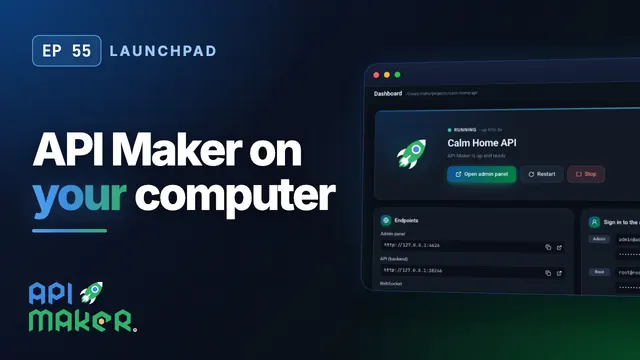 Length 8:57Launchpad
Run API Maker on Your Computer with Launchpad, in One Click
 Length 6:07Deploy
Upgrade Every Server from One Page: Deploy API Maker Safely
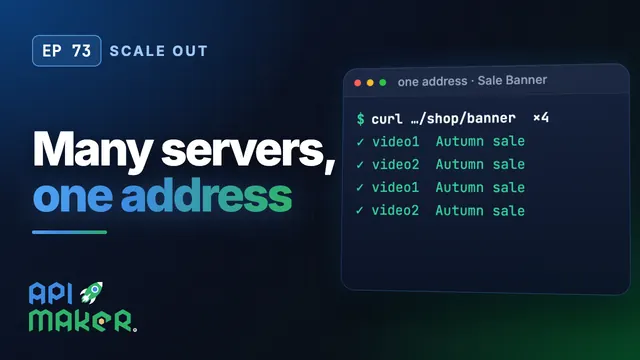 Length 6:26Scale out
Scale Out a Backend: Many API Maker Servers Behind One Load Balancer
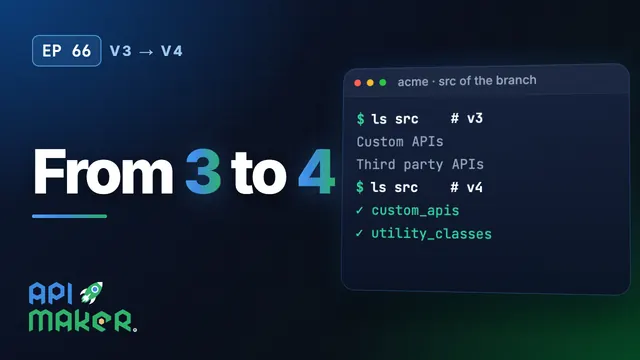 Length 5:31Upgrade from v3