

LoggingEpisode 45 5:14 11 chapters October 2026
API Logging and the Log Explorer: Search Any Call, Follow Them Live
Every call of your APIs written down: who called, what was sent, what came back, and what the code printed. Choose what is logged with a log profile, search and filter, open the detail of a call, follow calls live, and clean up old logs.
In the playlists The complete course Run in production
Chapters
What you will learn
- A log profile chooses what is logged
- What a log entry holds
- Search, filters and saved searches
- The detail of a call: request, answer and console
- Live tail
- The clean-up of old logs
Transcript761 words · click a time to play from there
Intro
Every call of your APIs, written down : who called, what was sent, what came back, and what the code printed. In this video, logging and the Log Explorer.
Logs, the usual way
Logs usually mean logger lines added to every endpoint, by every developer in their own way, log files searched with grep, server by server, and console lines nobody can tie to the call which printed them. With API Maker, a log profile says what is logged, without one line of code, every call goes to one log database, searched from the panel, and each call keeps its request, its answer and its console lines together.
In this video : a log profile, what a log entry holds, search and filters, the detail of a call, live tail, and the clean-up of old logs.
A log profile
From the dashboard, Log Profile : no profile yet, so nothing is logged. Add New. Storefront, and Active : only the active profile of the account writes logs. Save. Select it : what it logs, by kind of API. Instance APIs : All Instances, every API of every table. Custom APIs : Cart Quote, with Log Response : its answers are kept too. The green save icon saves the profile.
No code, no deploy.
What a log entry holds
Every call the profile names becomes one entry : the API, its status, the time it took, the API user, the request, the answer when the profile keeps it, and the console lines of its code. Entries wait in memory and leave in batches, at most five seconds later, for a log database of their own. A log database which is slow, or down, never slows an API : a batch which fails is dropped.
Search and filters
Log Explorer. This hour : every call, and the ones that failed. The calls of the storefront, and the queries the code of Cart Quote made. Slash jumps to the search : customers, Enter : four calls. The sidebar counts the values of every field. Exclude GET : two sign-ups, refused. Save keeps this search in the browser, under a name. Clear all, and Failures : four calls, the two sign-ups and two carts with an unknown coupon.
Every call again, sorted by time, slowest first. One click brings the saved search back.
The detail of a call
The failures, and the first refused sign-up : two errors, no city, and a status two letters too long. Then the time it took, the API user, the request id. Request : the headers it came with, its token blurred here, and the body it sent. Response : kept, because the call failed, although the profile keeps no answer of instance APIs. Escape. Among the calls that worked, a read of customers : no answer kept, and the drawer says why.
Then a Cart Quote : its answer is kept, Log Response is on. And Console : the lines its hook and its code wrote, for this call only.
Live tail
Custom APIs : the row of an API the profile logs has a button, View logs. It opens the Log Explorer on Cart Quote alone, in a new tab. The address holds the whole view : a link a colleague can open. Live tail : the storefront keeps calling, and the new calls come in every five seconds. All logs : every API, still live. Live tail off.
The clean-up of old logs
Old logs are removed on a schedule. As the root user, Deployment Settings, Logging : the log database, when old logs are removed, a cron of six fields, every day at midnight by default, and how many entries each administrator keeps, a hundred thousand by default. Every day at three, fifty thousand entries. Discarded here : nothing is saved.
Good to know
CSV and JSON download the calls of the search, up to twenty thousand. Events, schedulers and web socket events are logged by the same profile. A request id from an error report finds its call in one search. Clear deletes every log of the account, after a confirmation.
Built on standards
What is logged is a setting next to the code, not lines inside it. Every call is written the same way, in one place, with its console lines. So an API an AI assistant writes is logged like every other : nothing to add, nothing to forget.
Recap
To sum up. A log profile chooses what is logged. One entry per call, in a database of its own. Search, filters and saved searches. The request, the answer and the console of a call. Live tail, and the clean-up of old logs. Next : sandboxes and runtimes. API Maker. Build faster, spend smarter, deliver better.
Keep watching
 Length 5:20Sandboxes
Sandboxes, Runtimes and Packages: Where Your Code Runs
 Length 6:07Deploy
Upgrade Every Server from One Page: Deploy API Maker Safely
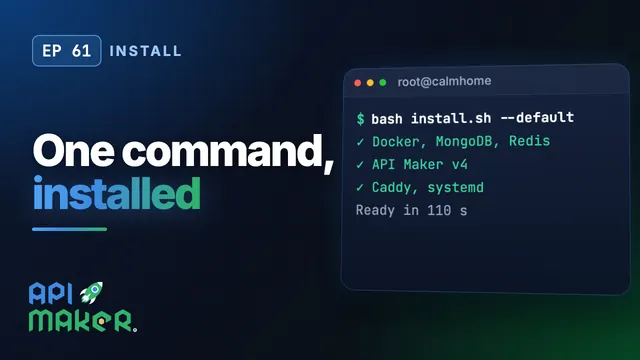 Length 8:06Install
Install API Maker v4 on Ubuntu with One Command
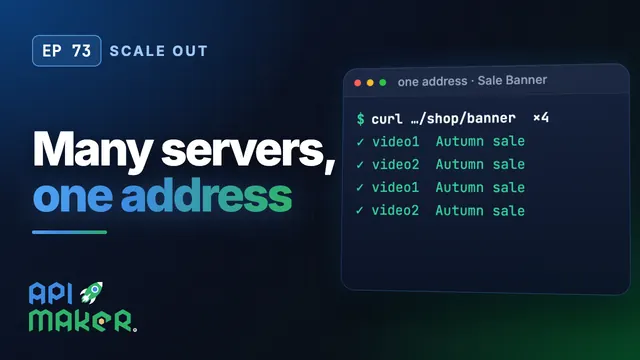 Length 6:26Scale out