

Root & adminsEpisode 43 5:50 13 chapters October 2026
Root User, Admin Accounts and Installation Settings Explained
One API Maker installation can serve many projects. The root user opens an admin account for each one and sets what every server of the installation runs with, from one page: Deployment Settings checked by every server first, where each value comes from, sealed exports and Security Settings.
In the playlists The complete course Run in production
Chapters
What you will learn
- Three roles
- The home of root, and a new admin account
- What an account gets, and sample code to copy
- Deployment Settings, every server asked first
- Where each value comes from
- Export with its secrets sealed, Security Settings, and a new installation step by step
Transcript856 words · click a time to play from there
Intro
One API Maker installation can serve many projects. The root user opens an account for each one, and sets what every server of the installation runs with, from one page.
Running servers, the usual way
Usually, each server has its own environment file, edited over SSH, nobody knows which server runs which value, a typo shows up only when a server does not start, and a new project waits for a database script. With API Maker, root opens an account in one dialog, the settings of every server live on one page, every server is asked before a value is saved, and the export seals its secrets with a password.
In this video : three roles, the home of root, a new admin account, Deployment Settings, a change reviewed by every server, where each value comes from, an export with sealed secrets, and Security Settings.
Three roles
The root user runs the installation. It opens admin accounts, one per project or per customer, each with its own API path. An admin builds the APIs of the project, and adds developers, each in a workspace of their own.
The home of root
Root signs in to a home of three sections : the analytics of every account, the admin accounts, and the settings of the installation. Root builds no API : the menus of a project are not there. Its user menu has My Security, for its own second factor, and Logout.
A new admin account
Admin Users lists the accounts of the installation. Add one : Tom Becker, the email he signs in with, a password, and an API path. Calm dash Q A is refused : the path is part of every address, so it is lower case. calmhome underscore q a is right. Insert Default Data, off : only the default secret, group and API user are made. On, the default here : a sample shop too.
Save : the account is made with a secret, a group, an API user and a sample shop, ready to use. Every new account gets a default secret, a default group and the API user default, and, with Insert Default Data, a sample shop on MongoDB, with schemas, auth providers and custom APIs to learn from. Its API path is unique in the installation. Turn Active off, and it can not sign in ; delete it, and everything it owns goes with it.
Tom signs in for the first time : his own dashboard, and code to learn from. His custom APIs : the samples. Most are No-Access : only code of the account reaches them. The ones of a sign in are public. Deep Populate Orders : its settings say why, and its code explains each line. People copy them, and so do AI assistants. Closed. From the menu, Utility Classes : DefaultUtils, helpers any code can require.
Deployment Settings
Deployment Settings is one page for every server : the bar says how many answered. The cards go from logging, databases and Redis, to security, where secrets show as not set or as dots, never in clear ; API Access, which lets the code of your sign-up system make accounts, as video seventy two shows ; and the sandboxes. Each setting says what it is, its default, its range, and its name in a dot env file.
Every server asked first
Change the time a run of code may take, to fourteen seconds : the row says unsaved. Save : every server is asked whether it could start with the new value. It applies after a restart. Cancel, and discard : nothing was saved.
More cards
SSR websites has its own card : the threads that render, the memory and time of a page, the size of the page cache. Servers lists every server that answered, with its version and its folders, and a button to restart it. And History keeps every change, with who made it, secrets as dots.
Where each value comes from
A value can come from six places. The built in default, a settings file, this page, the dot env file of a server, the environment of its process, and the command line, which wins. Each row says where its value comes from, on each server.
A sealed export
Export writes the saved values to a file, to keep or to import into another installation. Values go as they are ; secrets are sealed with a password, typed twice. Nobody can read them without it, API Maker neither.
Security Settings
Security Settings decides how everybody signs in : one time codes by email, an authenticator app, and recovery codes. The tuning of the codes : their length, how long they last, how many tries. And the SMTP relay that sends them.
First steps
On a new installation, root does it in this order : new passwords for the two default people, the log database and Redis, SMTP, then two step sign in, its own second factor, an admin account per project, and an export of the settings, sealed.
Recap
To sum up. Root opens an admin account per project. Every server reads one page of settings. Each change is checked by every server first. Each value says where it comes from. Exports seal their secrets. Next : analytics and observability. API Maker. Build faster, spend smarter, deliver better.
Keep watching
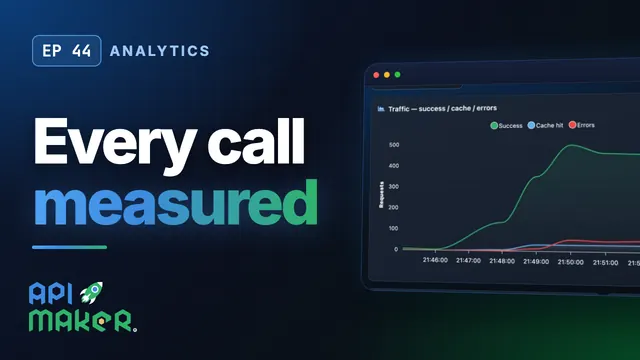 Length 11:53Analytics
API Analytics and Monitoring Built In: RED Metrics, p95, Apdex, Live
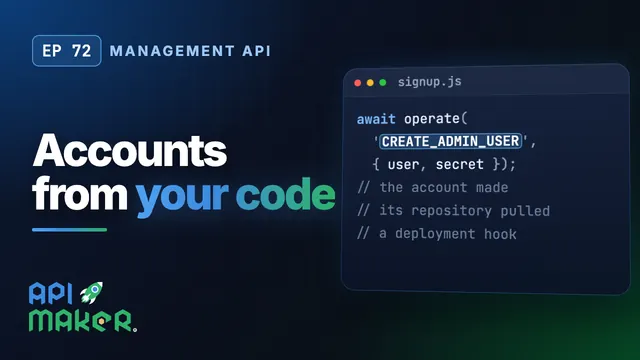 Length 5:01Management API
Create API Maker Accounts from Your Own Code: The Management API for SaaS
 Length 5:14Logging
API Logging and the Log Explorer: Search Any Call, Follow Them Live
 Length 5:20Sandboxes