

Read APIsEpisode 7 6:35 10 chapters November 2026
One Query Language for Six Databases: find, select, sort, aggregate
Read data the same way on MongoDB, MySQL, PostgreSQL, SQL Server, Oracle and MariaDB: find, select, sort and limit, with the operators of MongoDB, on every engine. See one query asked in three dialects, every operator on SQL, count, distinct, an aggregate, and a million rows streamed.
In the playlists The complete course Generated APIs
Chapters
What you will learn
- One JSON query on MySQL, MongoDB and Oracle
- find with $in, $gte and the other MongoDB operators, on SQL too
- What each engine is really asked
- Count and distinct
- An aggregate on MongoDB
- A million rows, streamed
Transcript776 words · click a time to play from there
Intro
With API Maker, you read data from six databases with one query language. You use find, select, sort, and limit, with the operators of MongoDB. They work on MySQL, Oracle, and the others too. In this video, the dashboards of Calm Home ask their questions.
Reading data, the usual way
Reading from many databases is usually hard. Each one has its own way to write a query, like LIMIT here and FETCH NEXT there. You need a query builder for each database, or you glue strings together. And big exports load every row before the first byte goes out. With API Maker, you write one query, in JSON. The server turns it into the language of each database. And big reads are streamed, a group of rows at a time.
In this video: one query on three databases, count and distinct, an aggregate on MongoDB, and a million rows, streamed.
One query, three engines
Open API Testing. Pick mysql, then orders, then the API Query for get data. We want the orders that are shipped or delivered, with a total of three hundred or more. That goes in find, with in and gte. Then we ask for three columns, sorted by total, only the first three, and the total count. Send. We get three orders, and fifty eight in all. Now MongoDB. Pick the products.
We use the same keys. We ask for bedroom or lighting, with a price of a hundred or more. Send. We get three products, and four in all. And now Oracle. Pick the employees. We ask for a salary of nine thousand or more. Send. We get the top three, and eleven in all. Three databases, one language, and one answer shape. Behind the same query, each database is asked in its own words.
MySQL gets LIMIT. Oracle gets FETCH NEXT. MongoDB gets a limit on its cursor. If an operator works only on MongoDB, SQL refuses it by name. It is never ignored.
Every operator
Every operator of MongoDB also works on the SQL databases, with the meaning SQL gives it. On the MySQL orders, we ask for coupon_code null. SQL asks IS NULL. We get a hundred and six orders with no coupon. Next, $expr compares two columns of the same row. We get sixty orders where the discount is bigger than the shipping cost. Now PostgreSQL. Pick the customers. $nor means none of its conditions.
We also use a regular expression that ignores capital letters. We get Jonas and Jack. Their first name starts with a J, and they are not active. Now MongoDB again, with the products. $like takes a SQL pattern, and $slice keeps one variant of each product. We get two lamps, with one variant each. Behind each operator are the words of each database. null becomes IS NULL on all of them, never equals null, which matches no row.
$expr compares the columns themselves. A regular expression becomes REGEXP on MySQL, a tilde on PostgreSQL, and REGEXP_LIKE on Oracle. SQL Server has none, so it gets a LIKE that means the same. And under every operator, each value is first changed into the type of its column, by the schema.
Count and distinct
Now order_events. It has a million rows. Pick Count, and ask for the delivered events. Send. We get one hundred and forty two thousand, eight hundred and fifty seven. Now the orders. Pick Distinct, with the field status. Send. We get its six values.
Aggregate
MongoDB also has the aggregation pipeline. Pick the reviews, and the API Aggregate. We group the reviews by rating, and sort them. Send. Sixty reviews have five stars, forty five have four, and fifteen have three.
Streamed
For big reads, there are the stream APIs: get all by stream, and query by stream. Here, a million order events. Over a hundred megabytes come in about a second, on this laptop. The rows leave the database a thousand at a time. They go out while the next thousand is read.
Good to know
Good to know. The same keys work as query parameters of get all, written in JSON5. getTotalCount counts every match, whatever the limit. A select that names a column that does not exist is refused, with its name. And deep populate adds rows from other tables to any read. Video ten shows it.
Built on standards
One query language, the one of MongoDB, on every database. The server asks each database in its own language. So a client, or an AI assistant, learns one language, and reads from all six databases.
Recap
To sum up. One query, in JSON, on every database. Count, distinct, and aggregate. A million rows, streamed. Next: the write APIs: save, update, replace, and remove. API Maker. Build faster, spend smarter, deliver better.
Keep watching
 Length 4:38Write APIs
Save, Update and Remove on Any Database with the Same API Calls
 Length 3:45Master save
Master Save: Write a Tree of Rows Across Databases in One Call
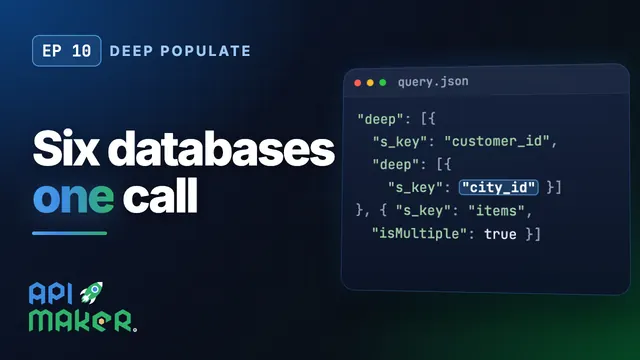 Length 9:25Deep populate
Deep Populate: Join Data Across Six Databases in One API Call
 Length 5:24Virtual fields